The new MCP specification is out. It is the largest protocol change since MCP launched, and it addresses a problem that became obvious as remote servers moved from demos into production: the protocol was carrying too much connection state.
The 2026-07-28 revision removes the initialize handshake and the Mcp-Session-Id session. Requests carry the information needed to process them, so any request can reach any server instance. The same release adds a formal extensions model, MCP Apps and Tasks, cache hints, trace context, stronger OAuth requirements, and a deprecation policy.
The official announcement mentions mcp-use and Manufact directly. That is useful context for us because the changes in the specification line up with problems we had already been dealing with in the framework and in Manufact Cloud, where we run remote MCP servers.
Why the protocol needed to change
The old Streamable HTTP flow started with initialize. The server returned a session ID, and every later request had to carry it. In a single process this was simple enough. Behind a load balancer, the session tied a client to one replica.
That led to sticky routing, shared session storage, and gateways that had to understand more of the protocol than an HTTP gateway should need to know. A rolling deployment could also kill the process holding a client session and force the client to start over.
The new flow is closer to ordinary HTTP. The protocol version and client metadata travel with each request. server/discover provides capability discovery when a client needs it ahead of the first tool call. Required method and name headers let infrastructure route and observe requests without parsing JSON-RPC bodies.
In practical terms, a request now carries the context a server needs instead of relying on a connection that happened to be established earlier:
POST /mcp HTTP/1.1
Host: example.com
MCP-Protocol-Version: 2026-07-28
Mcp-Method: tools/call
Mcp-Name: search
Content-Type: application/json

{"name":"search","arguments":{"query":"MCP"}}
That is a small-looking change with a large operational consequence. A load balancer can treat the request like a request. It does not need to know which process owns a session before it can forward the call.
This does not make every application stateless. A shopping cart, browser session, or long-running job still needs state. The difference is where that state lives. The server can return an explicit handle and the client can pass it back on the next request. The state becomes part of the application contract instead of an invisible property of the transport.
There is a second important change for servers that need to ask the client for input. Multi Round-Trip Requests replace the old assumption that a server can keep a connection open while waiting. A server returns an input_required result with an opaque requestState; the client gathers the input and retries the request. The next retry can land on any instance.
The official TypeScript SDK migration guide is a good reference for the details. It also makes a point that is easy to miss: v2 packages can still speak the older protocol, and modern clients can negotiate down when they connect to an older server.
What we changed in mcp-use v2
We did not try to patch the old framework around the new handshake. We rebuilt the TypeScript stack around the official MCP SDK v2 and made the protocol boundary explicit.
The server package now has a stateless request path designed for modern HTTP runtimes. The client has a negotiated protocol era instead of assuming that every server speaks the same wire format. In automatic mode, it probes with server/discover and falls back to the older initialization flow when it needs to. That gives new servers the modern path without making an existing server upgrade on the same day as its client.
The package surface is also split around the jobs people actually do:
mcp-usefor building servers@mcp-use/clientfor connecting to servers from Node, browsers, and React@mcp-use/agentfor agent workflows@mcp-use/inspectorfor local inspection and testing
This made the framework easier to install and gave the client, server, agent, and Inspector code clearer boundaries. It also forced us to remove a lot of assumptions that were hidden by the old combined surface. We replaced preview-only SDK dependencies with registry packages, made the v2 beta installable under normal pnpm supply-chain settings, and kept the runtime usable in serverless and edge environments.
The client became a real application layer
The client work in v2 is not just a new transport implementation. It is a set of primitives for building the application around an MCP connection.
ViewRenderer is the clearest example. It takes either a live MCP resource or preloaded HTML and renders it in the host sandbox. It manages the View lifecycle, forwards tool input and output, exposes the host connection back to the app, enforces the resource's content-security policy, and handles host messages, display modes, sampling, downloads, and model context. That means a View is no longer something an application has to reconstruct from an HTML string and a handful of event listeners.
import { ViewRenderer } from "@mcp-use/client/react";

<ViewRenderer
  viewId="search-results"
  source={{
    kind: "live",
    connection,
    resourceUri: "ui://search/results.html",
  }}
  toolName="search"
  toolOutput={result}
  displayMode="inline"
/>;
For applications with more than one server, McpClientProvider is now the main React boundary. useMcpClient manages the server collection, useMcpServer gives a component the state and operations for one server, and useMcp remains available when an app only needs a single connection. The provider also owns persistence, reconnects, OAuth state, proxy fallback, notifications, sampling, and elicitation queues instead of making each screen implement those transitions itself.
import {
  McpClientProvider,
  useMcpClient,
  useMcpServer,
} from "@mcp-use/client/react";

function App() {
  return (
    <McpClientProvider defaultAutoProxyFallback>
      <ServerList />
    </McpClientProvider>
  );
}

function ServerList() {
  const { servers } = useMcpClient();
  return servers.map((server) => <ServerRow key={server.id} id={server.id} />);
}

function ServerRow({ id }: { id: string }) {
  const server = useMcpServer(id);
  return (
    <p>
      {server?.displayName}: {server?.state}
    </p>
  );
}
The same separation shows up in the Inspector chat. Chat is no longer a single screen glued to one connection: the chat input, message list, trace view, history, elicitation prompts, and rendered View surface have distinct responsibilities. ChatTab can show the conversation and the underlying tool activity together, while ViewRenderer keeps an MCP App alive as the conversation changes. This is what makes the Inspector useful as a client harness: it exercises the same connection, UI, and reverse-request paths that a production host needs to support.
The client documentation, React integration guide, and client package source show the full surface.
The Inspector is itself an embeddable client. This example mounts its React components directly inside the post, connects them through McpClientProvider, and keeps the tools, resources, Views, and chat surfaces available in one connected panel.
You can also try the hosted v2 Inspector at inspector.dev.manufact.com.
v2 building blocks
Compose the client and Inspector surfaces instead of adopting one monolithic UI.
McpClientProvider
@mcp-use/client/react
Own the server collection, persistence, reconnects, and request state.
<McpClientProvider
  defaultAutoProxyFallback
>
  <App />
</McpClientProvider>
useMcpClient
@mcp-use/client/react
Read and manage every MCP connection from one React boundary.
const { servers, addServer } =
  useMcpClient();
useMcpServer
@mcp-use/client/react
Get one server's tools, resources, prompts, and actions by id.
const server = useMcpServer(id);

await server?.callTool(name, args);
useMcp
@mcp-use/client/react
Use the small, single-server path when an app needs one connection.
const { tools, callTool } = useMcp({
  url: MCP_URL,
});
ViewRenderer
@mcp-use/client/react
Render a live MCP View with its host lifecycle and tool context.
<ViewRenderer
  source={{ kind: "live", connection,
    resourceUri: "ui://search/results.html" }}
  toolOutput={result}
  displayMode="inline"
/>
ToolsTab
@mcp-use/inspector/client
Drop the v2 tool browser into an application or internal console.
<ToolsTab
  tools={server.tools}
  callTool={server.callTool}
  isConnected={server.state === "ready"}
/>
ResourcesTab
@mcp-use/inspector/client
Inspect resources and read them through the same client connection.
<ResourcesTab
  resources={server.resources}
  readResource={server.readResource}
  mcpServerUrl={server.url}
/>
ChatTab
@mcp-use/inspector/client
Compose chat, tool traces, prompts, and rendered Views as one surface.
<ChatTab
  connection={server}
  prompts={server.prompts}
  readResource={server.readResource}
  isConnected
/>
MCP Apps are part of that same redesign. In v1, a widget involved a separate resource directory, URI indirection, build registration, and metadata wiring. In v2, a View is part of the application model. The tool and its UI have a typed boundary, and the build can discover and bundle the View without asking the developer to maintain the old chain of references.
The Inspector, CLI, screenshot verification, and tunnel are also part of the framework rather than separate examples. A useful development loop is now possible: start a server, inspect the tools, render a View, capture a screenshot, connect to a real client, and deploy the same project without changing the server shape.
The workflow looks like this in code. The server stays ordinary TypeScript; the framework handles the protocol and the View boundary around it:
import { MCPServer } from "mcp-use/server";
import { z } from "zod";

const server = new MCPServer({
  name: "search",
  title: "Search",
  version: "2.0.0",
});

export const search = server.tool(
  {
    name: "search",
    description: "Search the knowledge base",
    schema: z.object({ query: z.string() }),
  },
  async ({ query }) => ({ results: [`Results for ${query}`] }),
);

export default server;
The important part is not the number of lines. It is that the same server can be inspected locally, rendered as an MCP App, exposed through a real client, and deployed without a second integration model.
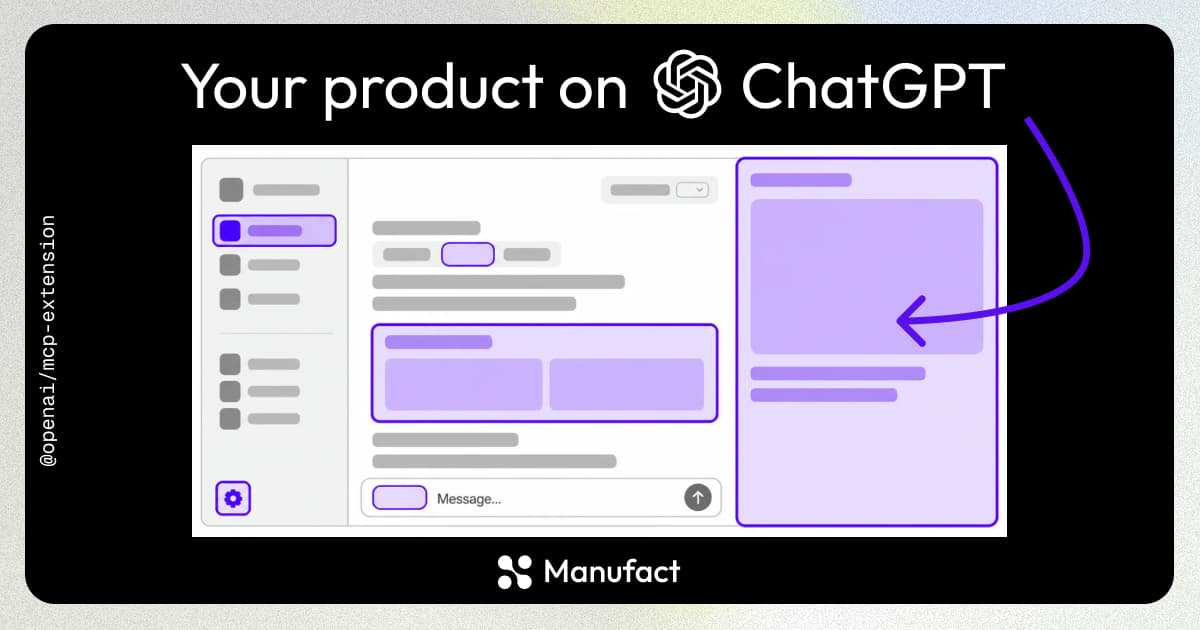
The v2 README shows this loop in the tools developers actually use: an MCP App rendered in ChatGPT and the same app in Inspector.
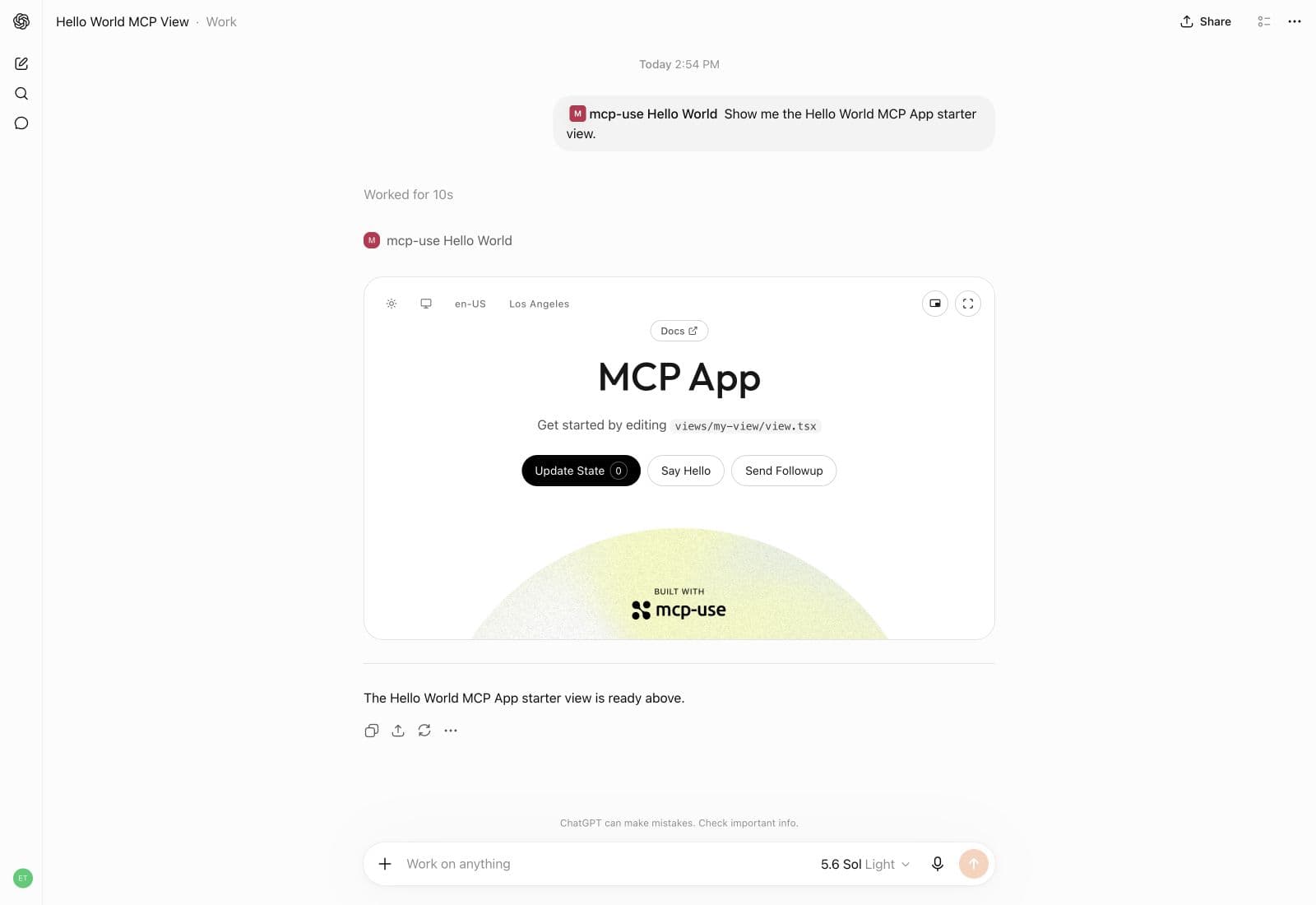
The same View can move from a local project into a client surface.
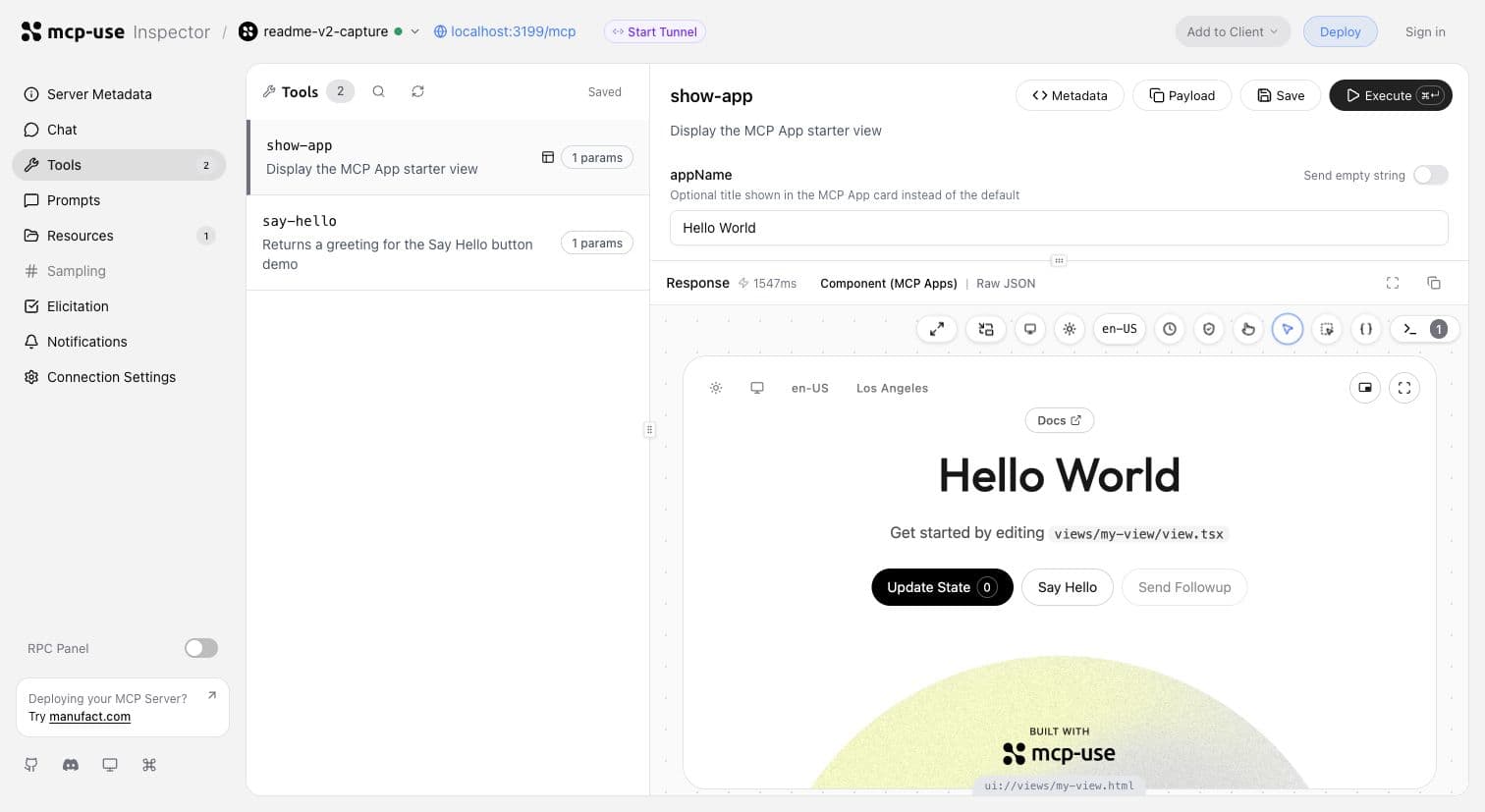
Inspector gives the protocol boundary a concrete place to debug before deployment.
The migration has involved more than changing imports. We added direct v2 elicitation flows, verified and tamper-protected request state, protocol-era metadata, and compatibility tests against both old and modern servers. We have also removed the temporary v1 compatibility facade from the v2 beta. Historical v1 documentation remains available, but native v2 no longer pretends that the two APIs are the same thing.
What the benchmarks say
We ran the comparison against published packages, not local source builds. The full methodology and limits are in the mcp-use v2 benchmark report.
Against mcp-use v1, the beta.61 v2 package measured:
- 10,982 median operations per second versus 8,615
- 68.1 ms median cold launch versus 151.6 ms
- 74.4 MiB clean install versus 404.6 MiB
The throughput test used the same tools/list and tools/call workload across the targets. The launch numbers came from repeated fresh process starts. The install number is the actual dependency tree on disk, including peer dependencies.
Published-package benchmark (v1 = 100)
v1
v2
Throughput
100 / 127
Cold launch
100 / 45
Install
100 / 18
The chart is normalized to v1 because the units are different. The raw values and the benchmark harness are in the repository benchmark report, and the complete v2 README has the surrounding examples and screenshots.
The package-size comparison is easier to read on its own. A clean v1 install brought roughly 405 MiB of dependencies onto disk; v2 brought 74 MiB.
Clean install size (MiB)
74 MiB
v2
v2 is 82% smaller on disk.
These are localhost measurements. They tell us that the rewrite removed real overhead from the framework and its dependency graph. They do not predict a production server's latency, and they do not mean mcp-use will be the fastest implementation for every workload. The important result is that the framework can add Views, an Inspector, a client, and deployment tooling without carrying the old package footprint forward.
What this means for Manufact Cloud
The stateless protocol removes an infrastructure constraint that has shaped remote MCP hosting from the beginning. A server can run behind ordinary round-robin HTTP routing. A failed instance does not take its protocol sessions with it. A new deployment does not need to preserve a connection to one machine just to finish the next tool call.
That gives Manufact Cloud a better foundation for branch deployments, autoscaling, and regional routing. It also makes analytics easier to reason about. Each request has a clear method, tool name, protocol era, and trace context. The gateway can record those fields without trying to reconstruct a conversation from connection state.
There is still application state to manage. OAuth credentials, user identity, databases, queues, and long-running jobs do not disappear because MCP removed its session ID. Manufact needs to keep those boundaries visible and make the safe patterns easy. For multi-step MCP interactions, that means signed request state or explicit application handles. For production access, it means proper authorization, observability, and tenant isolation.
This is also why the framework and the cloud product are moving together. mcp-use owns the local developer experience and the server contract. Manufact owns the path from a working server to a deployed service with logs, analytics, evals, branch previews, and client-facing distribution. The protocol is becoming simpler at the transport layer, so the tooling around the server can focus on the parts developers actually need to operate.
Get started with v2
If you are starting a new TypeScript server, use the v2 documentation. If you have an existing mcp-use project, start with the migration guide. If you want to run the server in production, Manufact Cloud is the path we are building around this new protocol model.