Shipping your MCP server to ChatGPT and Claude users is easier than ever. Then a new user adds your app and hits a wall: before they see a single tool, your server asks them to create an account.
On your website, nobody signs up first. They read your homepage, scroll through features, check pricing, and maybe watch a demo before they click "Sign up." In ChatGPT or Claude, those pages don't exist. A user finds your app in a directory, reads a short description, clicks connect, and your server asks for an account.
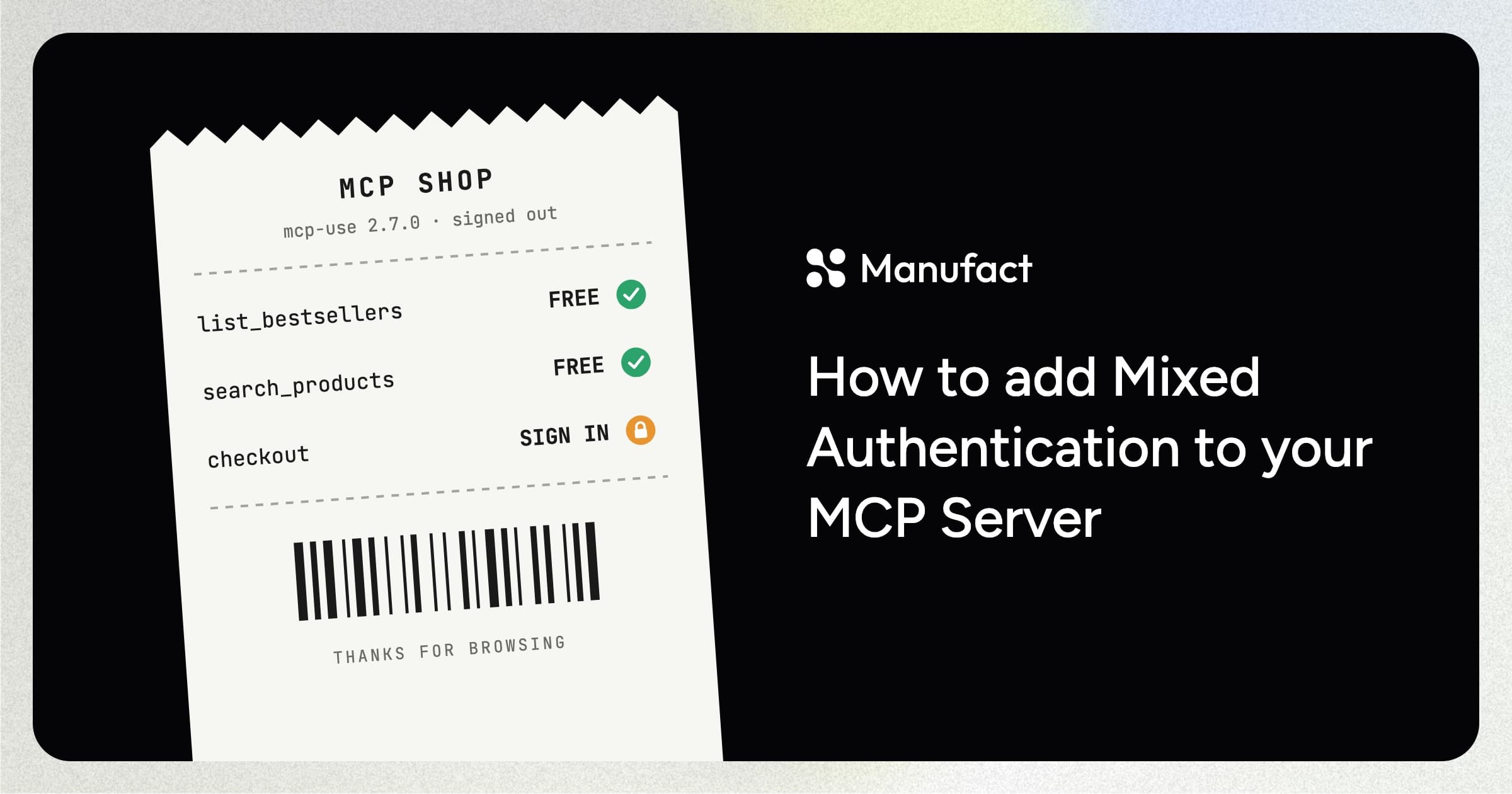
Your tools have to do the job your landing page did. Mixed authentication lets users try them before they sign up. For example, in a shop app, anyone can browse the catalog and get recommendations, and the server asks for sign-in only at checkout.
We just shipped first-class support for mixed authentication in mcp-use 2.7.0 and I'll show you how to use it.
The API
Mixed authentication adds two things to the SDK: a mixedAuth flag on the server constructor and a securitySchemes field on each tool.
The examples use WorkOS, and every mcp-use OAuth provider supports mixed authentication.
Turn on mixedAuth
With oauth enabled, every request to your server needs a token, including the first one.
Turn on mixedAuth in the server constructor, and signed-out users can connect and see your tools. Each tool then decides whether it needs sign-in or not.
| Request | oauth only | oauth + mixedAuth |
|---|---|---|
| Connect | Needs sign-in | Open |
| List tools | Needs sign-in | Open |
| Call a tool | Needs sign-in | Follows the tool's securitySchemes |
Declare securitySchemes on each tool
securitySchemes describes who can call a tool and what sign-in, if any, the call needs. You build it from two scheme types:
{ type: "noauth" }runs without a token.{ type: "oauth2", scopes }needs a signed-in user.scopeslists any extra permissions the tool needs, and[]means none.
Combine the two types and you get four access levels:
securitySchemes | Who can call it | ctx.auth |
|---|---|---|
[{ type: "noauth" }] | Anyone | possibly undefined |
[{ type: "noauth" }, { type: "oauth2", scopes }] | Anyone, personalized when signed in | possibly undefined |
[{ type: "oauth2", scopes }] | Signed-in users with the extra scopes | always set |
| omitted | Any signed-in user | always set |
The shop server
Here's an example shop server built with mcp-use:
import { MCPServer } from "mcp-use";
import { oauthWorkOSProvider } from "mcp-use/oauth/workos";
import { z } from "zod";

const server = new MCPServer({
  name: "shop",
  version: "1.0.0",
  oauth: oauthWorkOSProvider({
    subdomain: process.env.WORKOS_SUBDOMAIN!,
    requiredScopes: ["shop"],
  }),
  mixedAuth: true,
});

// Public: anyone can browse.
server.tool(
  {
    name: "list_bestsellers",
    description: "List this week's bestselling products.",
    securitySchemes: [{ type: "noauth" }],
  },
  async () => ({
    content: [{ type: "text", text: await bestsellers() }],
  }),
);

// Optional: personalized when signed in, bestsellers otherwise.
server.tool(
  {
    name: "recommend_products",
    description: "Suggest products. Personalized when the user is signed in.",
    securitySchemes: [{ type: "noauth" }, { type: "oauth2", scopes: [] }],
  },
  async (_args, ctx) => {
    if (!ctx.auth) {
      return { content: [{ type: "text", text: await bestsellers() }] };
    }
    return {
      content: [{ type: "text", text: await picksFor(ctx.auth.user.id) }],
    };
  },
);

// Sign-in with an extra scope: refused before the callback runs.
server.tool(
  {
    name: "create_checkout",
    description: "Check out the selected products.",
    inputSchema: z.object({ productIds: z.array(z.string()).min(1) }),
    securitySchemes: [{ type: "oauth2", scopes: ["checkout"] }],
  },
  async ({ productIds }, ctx) => ({
    content: [
      { type: "text", text: await createCheckout(productIds, ctx.auth.user.id) },
    ],
  }),
);

// Omitted: sign-in with the provider's requiredScopes.
server.tool(
  { name: "order_history", description: "List the signed-in user's orders." },
  async (_args, ctx) => ({
    content: [{ type: "text", text: await ordersFor(ctx.auth.user.id) }],
  }),
);

export default server;
How mixed authentication works in ChatGPT and Claude
ChatGPT and Claude both support mixed authentication. Signed-out users can call public tools, and the host asks for sign-in when they call a protected one. The way that the clients trigger their authentication UI is handled differently.
ChatGPT
mcp-use's securitySchemes follows ChatGPT's API. ChatGPT reads securitySchemes from your tool list to learn which tools need sign-in.
When a signed-out user calls one, the server returns a tool result marked isError with a sign-in challenge in _meta["mcp/www_authenticate"].
OpenAI's authentication docs cover the details.
Claude
Claude calls this lazy authentication. When a signed-out user calls a protected tool, the server fails the HTTP request with a 401 and a WWW-Authenticate header. Claude shows an inline Connect card, the user signs in through a popup, and Claude retries the same tool call with the new token.
The HTTP status is the whole signal. If the server answers with a successful response that wraps a tool error, Claude hands the error text to the model, and the user sees "please sign in" in the chat with no Connect card. For a signed-in user who lacks a permission, the server returns a 403 with insufficient_scope, and Claude asks the user to approve the extra scope.
Side by side
| ChatGPT | Claude | |
|---|---|---|
| Starts sign-in from | 200 result with isError and _meta["mcp/www_authenticate"] | HTTP 401, or 403 with insufficient_scope |
| Treats the other format as | Not a sign-in trigger | An ordinary tool failure |
| Learns a tool needs sign-in | From securitySchemes on tools/list | When the call is refused |
oauth2 scheme with no scopes | Ignored, so set requiredScopes on the provider | Works |
You declare each tool once and never write either format yourself. mcp-use checks the User-Agent header on every refused call, answers ChatGPT with the tool result, and answers every other client with the HTTP status.
Get started
Upgrade to mcp-use 2.7.0 and add mixedAuth: true to a server that already uses OAuth. Every tool keeps requiring sign-in until you give it securitySchemes, so you can open tools one at a time and leave the rest of the server as it is.
The mixed-oauth example runs a mixed-auth server locally, with a tool for every access level in this post. Its README walks through connecting it to ChatGPT and Claude to test the sign-in flow end to end. For the full reference, see the mixed authentication docs.