
“Weeks of blind resubmission and waiting time avoided.”
PredictLeadsCustomer story
The mcp-use SDK is the fullstack MCP framework to develop MCP Apps for ChatGPT / Claude & MCP Servers for AI Agents. Loved by developers.
Still writing code by hand?
mcp-use is designed around the MCP standard from both sides of the wire. Ship MCP Apps to AI chats. Ship MCP servers to AI agents. Write once.
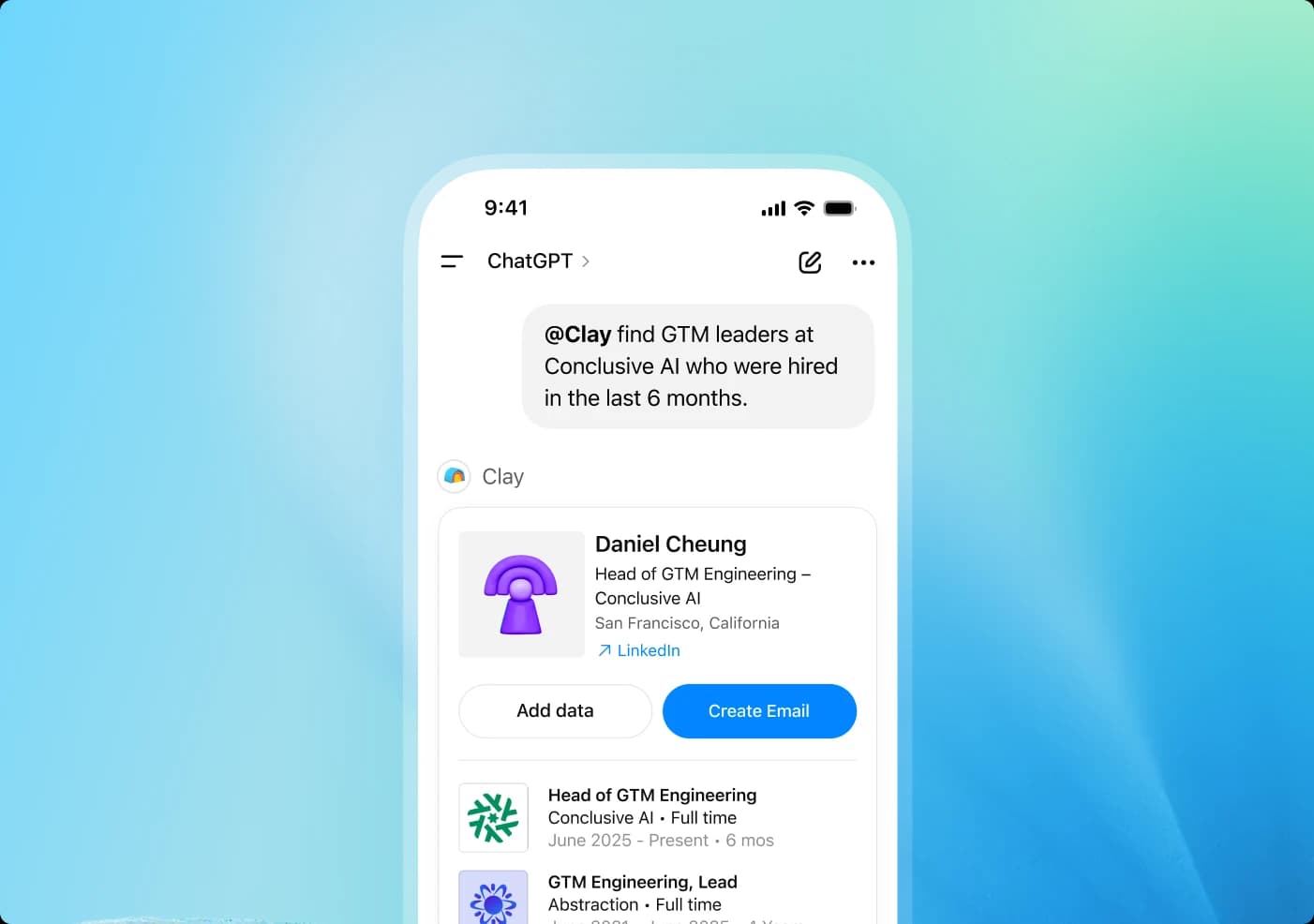
Drop React widgets in resources/. They auto-register as tools that render directly in chat clients.
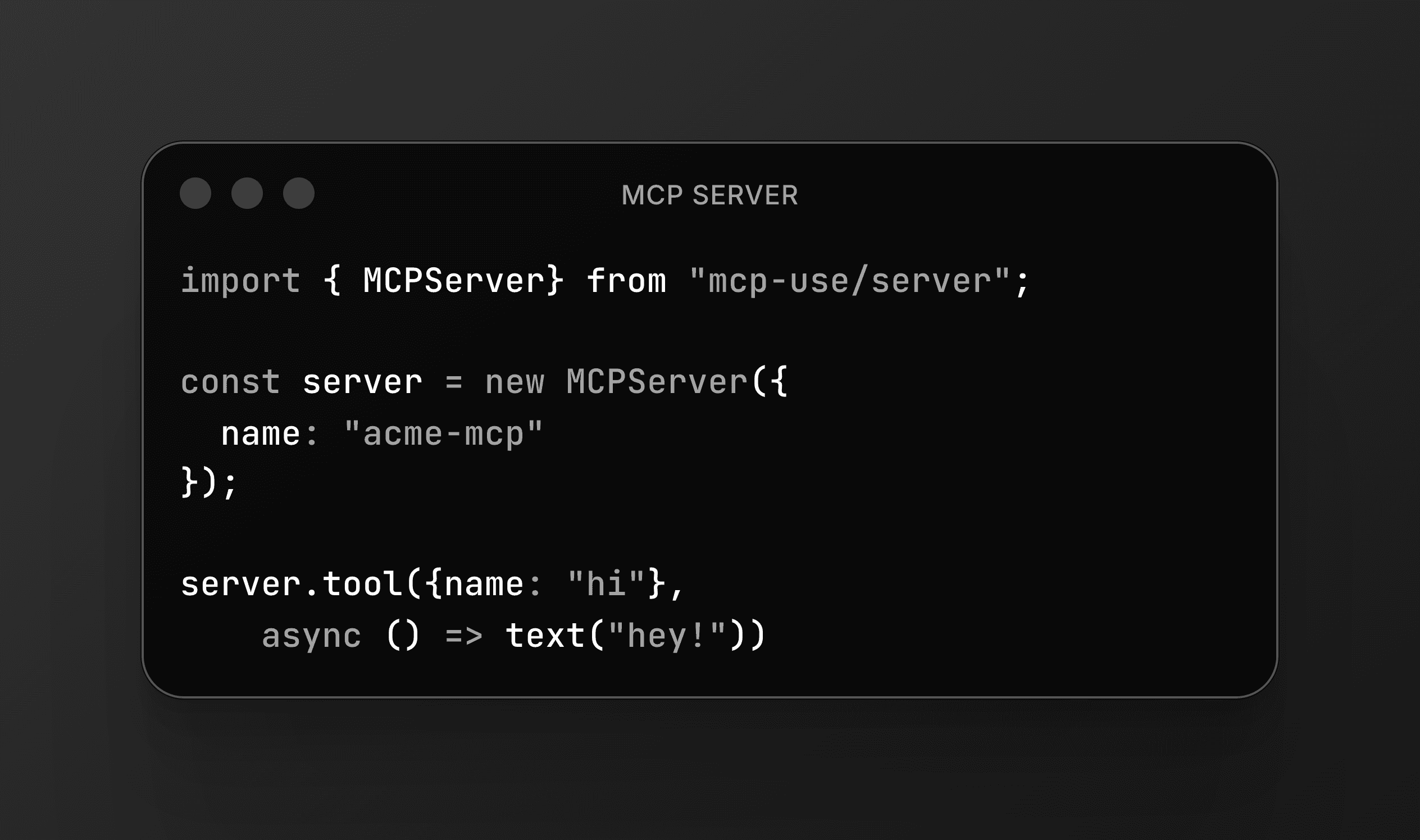
Expose your API, database, or internal tools to any AI or coding agent with a single mcp-use server.
Drop React components in resources/. They auto-register as MCP tools with a widget surface that renders directly in chat clients with typed props, theming, and the useWidget hook out of the box.
Fully MCP-spec compliant. Works with Claude, ChatGPT, Cursor, and any MCP client. Edge-runtime ready.
npx create-mcp-use-app.The mcp-use server API is identical in both languages. Pick the language your team prefers.
A fullstack framework for MCP Servers. Widgets, dev server, Inspector, and cloud deploy bundled in one package.
Declare a React widget directly on the tool. The useWidget hook handles props, theme, and pending state, no separate ui:// resource to register.
mcp-use dev runs the server with hot reload and opens an interactive Inspector at /inspector. Test tools, preview widgets, and watch JSON-RPC live.
npx create-mcp-use-app generates a typed MCP server, a resources/ folder of React widgets, auth, and a working example.
STDIO, HTTP, SSE, WebSocket. Same code, every transport.
TypeScript and Python share the same server API. Pick the language your team prefers.
Connect a GitHub repo. Branch deploys, logs, metrics, and observability come with Manufact Cloud.
The MCP SDK and ext-apps are the community reference implementations. mcp-use sits on top with a CLI, dev server, Inspector, and managed deploys.
| Feature | mcp-use | @modelcontextprotocol/sdk | @modelcontextprotocol/ext-apps |
|---|---|---|---|
| TypeScript and Python server SDK | |||
| Tool + widget in one declaration | |||
| One-command scaffold (CLI) | |||
| Hot-reload dev server | |||
| Browser-based Inspector | |||
| Multi-transport (STDIO, HTTP, SSE, WS) | |||
| One-click cloud deploy | |||
| Latest spec primitives (elicitation, tasks) |
Skip the MCP plumbing. Manufact handles deployment, cross-client test harnesses, store compliance, and analytics.
Explore customer stories“Weeks of blind resubmission and waiting time avoided.”

“The weeks we didn't spend on transport, auth, and session handling went straight into shipping our enterprise integrations instead.”

“End-to-end, the MCP App went from development to live in less than six weeks.”
Build MCP servers and apps with the open-source framework from the team behind Manufact Cloud.
Our open source tools are used by developers at top companies










Thousands of dev-teams are building with mcp-use
Been thinking about trying your @mcpuse today when I started building a ChatGPT app, but wasn't sure if it's the right use case. Now I assume it is 🙂

Great addition to the generic MCP Client collection.
Infra isn't just plumbing. It's distribution. Examples: AgentMail: inboxes for agents, mcp-use: MCP infra, DeepAware: RL for data center ops. Whoever owns the rails agents use to talk to the outside world ends up with Twilio-style power.

mcp-use is by far the best Python framework for building an agent MCP. It's so easy to set up an agent connected to MCP servers through the command line, that way I can quickly iterate on my MCP servers and test. Most people are using MCP servers in chat clients like Cursor / Claude Code, but MCP server use by agents will explode in the near future. I think it's important to test your server in an agent environment, and mcp-use provides that.

MCP-Use is the open source way to connect any LLM to any MCP server and build custom agents that have tool access, without using closed source or application clients.

that's why we love open-source! @NASA is building an agent with MCP using our library @mcpuse 🚀

Been thinking about trying your @mcpuse today when I started building a ChatGPT app, but wasn't sure if it's the right use case. Now I assume it is 🙂
Great addition to the generic MCP Client collection.
Infra isn't just plumbing. It's distribution. Examples: AgentMail: inboxes for agents, mcp-use: MCP infra, DeepAware: RL for data center ops. Whoever owns the rails agents use to talk to the outside world ends up with Twilio-style power.
mcp-use is by far the best Python framework for building an agent MCP. It's so easy to set up an agent connected to MCP servers through the command line, that way I can quickly iterate on my MCP servers and test. Most people are using MCP servers in chat clients like Cursor / Claude Code, but MCP server use by agents will explode in the near future. I think it's important to test your server in an agent environment, and mcp-use provides that.
MCP-Use is the open source way to connect any LLM to any MCP server and build custom agents that have tool access, without using closed source or application clients.
that's why we love open-source! @NASA is building an agent with MCP using our library @mcpuse 🚀
Awesome to see mcp-use support MCP-UI! We're aligning on the open spec with OAI and others to make sure the entire community benefits from complete compatibility

mcp-use is really into something good here.

mcp-use (@mcpuse) is building open-source dev tools and infrastructure for MCP to help dev teams quickly build and deploy custom AI agents with MCP servers.

awesome to see @mcpuse on product hunt today! for everyone needing to build with or around MCP! and yes, we'll do a small hack night with them next week to put that to the test as well 😉

MCP evals is here in @deepeval, metric name taken from @mcpuse 👀

🚀 @mcpuse launched! Open source infrastructure and dev tools for MCP agents: "Spin-up and aggregate MCP servers through a single endpoint and zero friction."

Awesome to see mcp-use support MCP-UI! We're aligning on the open spec with OAI and others to make sure the entire community benefits from complete compatibility
mcp-use is really into something good here.
mcp-use (@mcpuse) is building open-source dev tools and infrastructure for MCP to help dev teams quickly build and deploy custom AI agents with MCP servers.
awesome to see @mcpuse on product hunt today! for everyone needing to build with or around MCP! and yes, we'll do a small hack night with them next week to put that to the test as well 😉
MCP evals is here in @deepeval, metric name taken from @mcpuse 👀
🚀 @mcpuse launched! Open source infrastructure and dev tools for MCP agents: "Spin-up and aggregate MCP servers through a single endpoint and zero friction."
Really sharp execution, mcp-use nails the 'Vercel for MCP' play. Love how you've stripped deployment and aggregation down to a single endpoint with zero friction. Crypto infra teams, onchain data providers, and AI-powered DeFi dashboards could slot this in to speed up agent builds massively.

🦜🤖 MCP-Use Tools - Just launched: An open-source library that connects any LLM to MCP tools for custom agents, featuring seamless integration with LangChain and support for web browsing, Airbnb search, and 3D modeling capabilities.

We implemented Code Mode in mcp-use's MCPClient . All you need to do is define which servers you want your agent to use, enable code mode, and you're done! The client will expose two tools: - One that allows the agent to progressively discover which servers and tools are available - One that allows the agent to execute code in an environment where the MCP servers are available as Python modules (SDKs)

Really sharp execution, mcp-use nails the 'Vercel for MCP' play. Love how you've stripped deployment and aggregation down to a single endpoint with zero friction. Crypto infra teams, onchain data providers, and AI-powered DeFi dashboards could slot this in to speed up agent builds massively.
🦜🤖 MCP-Use Tools - Just launched: An open-source library that connects any LLM to MCP tools for custom agents, featuring seamless integration with LangChain and support for web browsing, Airbnb search, and 3D modeling capabilities.
We implemented Code Mode in mcp-use's MCPClient . All you need to do is define which servers you want your agent to use, enable code mode, and you're done! The client will expose two tools: - One that allows the agent to progressively discover which servers and tools are available - One that allows the agent to execute code in an environment where the MCP servers are available as Python modules (SDKs)
Get help, share your projects, and get inspired.
The community for developers building with MCP and mcp-use.
Import an existing MCP server from GitHub and deploy it in one click.
Already host your MCP server elsewhere? Connect its URL through the Manufact proxy without redeploying.
Choose a production-ready starter and make it yours from a known-good scaffold.