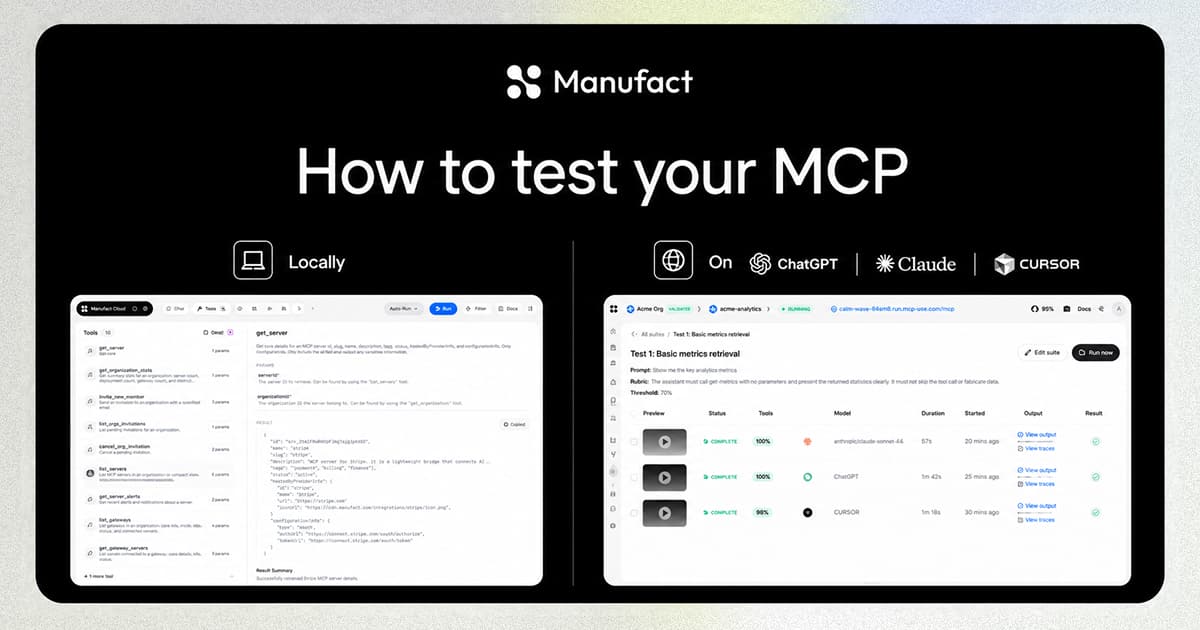
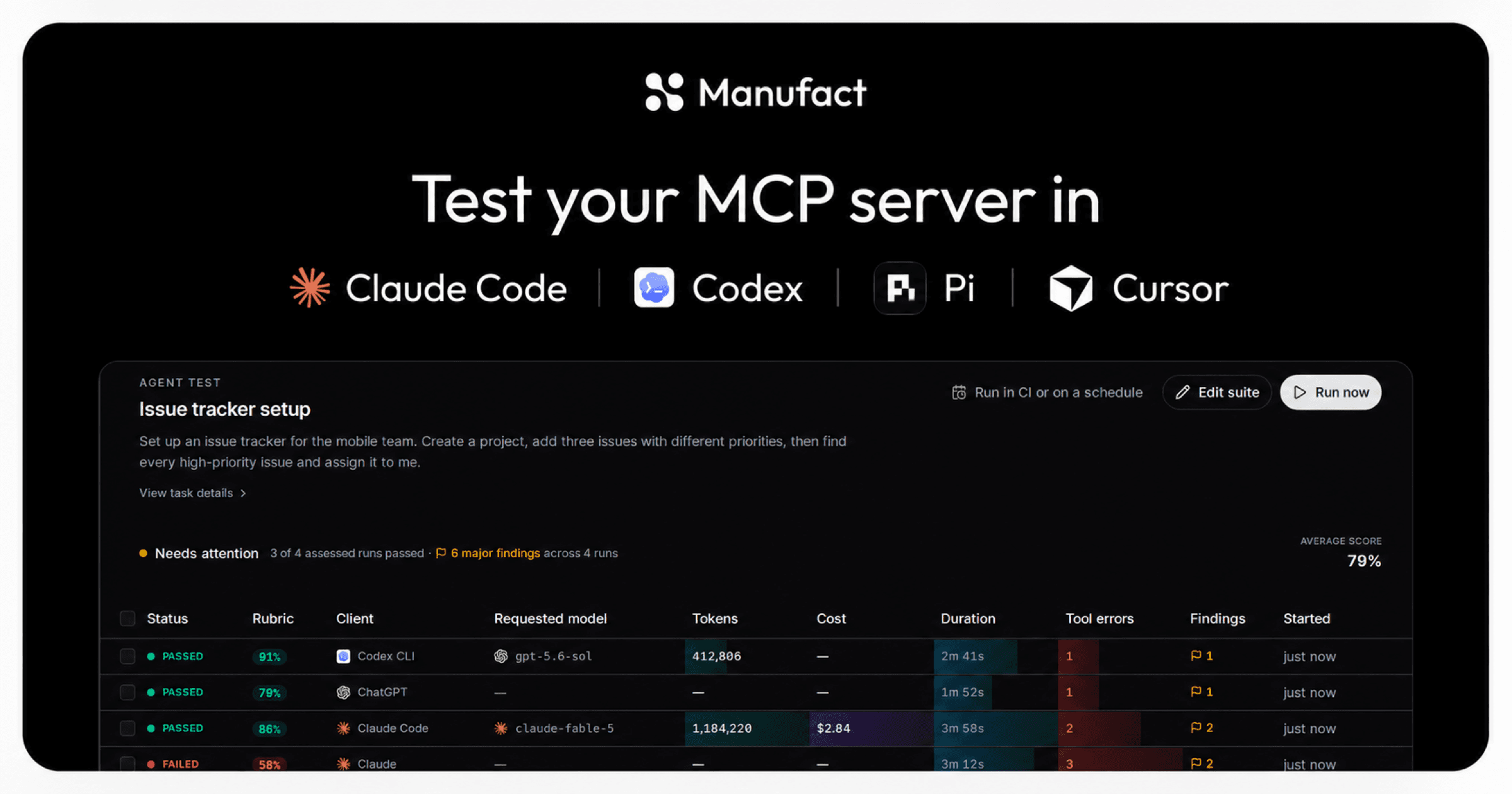
People use MCP servers from coding agents as well as chat apps. A developer asks Claude Code to set up a database, or Codex to file an issue, and the agent works through your tools on its own for a few minutes. Each of these agents loads tools, handles errors, and retries in its own way, so a server that works in ChatGPT can still fail in Claude Code.
Manufact test suites now run in these agents. Pick Claude Code, Codex CLI, or Pi next to ChatGPT, Claude, and the Inspector, and every run goes through the same pipeline: the agent works on your task, we record everything it does, and an LLM judge scores the result and lists what to fix in your server.
We'll follow issues-mcp, an example issue-tracker server with tools for creating projects and managing issues. The server and its numbers are made up for this post.
Write the task, pick the clients
A test suite starts with a task written the way a user would ask for it:
Set up an issue tracker for the mobile team. Create a project, add three issues with different priorities, then find every high-priority issue and assign it to me.
The agent needs several tools in the right order, and the last step depends on search returning the right issues.
Below the task, set the passing criteria. The LLM judge scores the conversation from 0 to 100%. A run passes when it reaches your configured threshold (70% by default) and satisfies any configured tool assertions. If the recorded evidence cannot establish the outcome, the result is inconclusive.
Add an optional rubric to explain what matters, for example that every assigned issue belongs to the new project. For deterministic checks, add a conversation flow with the tool calls or replies you expect at each turn.
Then choose where the task runs. Each coding agent gets its own model, picked from the live catalog:
| Client | Runs as | Checks MCP Apps UI |
|---|---|---|
| Inspector | Manufact's MCP Inspector | Yes |
| ChatGPT | chatgpt.com in a browser | Yes |
| Claude | claude.ai in a browser | Yes |
| Claude Code | The Claude Code CLI | No |
| Codex CLI | The Codex CLI | No |
| Pi | The Pi coding-agent CLI | No |



Test tool use and MCP Apps UI
All clients test whether the agent picks the right tools and arguments, uses the results correctly, and completes the task.
ChatGPT, Claude, and the Inspector also render MCP Apps UI. We record the browser run for replay and give the judge a captured screenshot alongside the conversation and tool results. To include UI quality in the score, add a rubric such as: "The issue list renders with readable labels and no clipped content." The judge checks the captured view against it and reports visible problems; it does not exercise every interaction.
Claude Code, Codex CLI, and Pi do not render app UI. They can pass a tool task while the app UI is broken. If your server has an MCP App, run it in both a UI-capable client and a coding-agent CLI.
What happens during a run
Each coding-agent run gets a fresh sandbox. We install the real CLI, write its MCP configuration so it points at your server, and give it the task. Before the agent starts, the sandbox connects to your server and lists its tools, so the report shows exactly which tools the agent was given.
The agent's messages and tool calls are saved as a trace, including tool results, token counts and model cost when reported by the provider.
A separate judge sandbox then reads the evidence, checks task completion against the tool results, and writes a scored report. It never connects to your server, so judging cannot trigger tool calls or change your data.
Read the results
A suite page lists every run with its status, judge score, client, model, tokens, cost, duration, tool errors, and findings. The header shows how many assessed runs passed, the average score, and the major findings across runs.
In the issues-mcp suite, three of four runs pass. Codex CLI finishes in 2m 41s with one tool error. Claude Code passes too, but uses almost three times as many tokens to finish the same job. Claude fails at 58% after assigning two issues from another team's project.
Codex CLI worked around both bugs by retrying with different arguments, so a suite that only ran Codex would show one tool error and a passing score.
Go from a finding to a fix
Open a run to see its report. At the top, Major problems lists the issues the judge attributes to your server, with the evidence behind each one. For the failed Claude run there are two:
search_issuesignores itsproject_idargument and returns matching issues from every project, so the agent assigned issues that belong to another team.create_issuedocumentshigh,mediumandlowas priorities in its input schema, but only acceptsP1toP3. Two calls failed with "invalid priority" before the agent guessed the format.
Each problem has a Fix button that opens a prompt for your coding assistant: what to inspect, what to change, and how to verify the change.
The report distinguishes server defects from agent or environment failures. A low score does not automatically mean your server caused the problem.
See the testing docs for screenshots and a guide to all four tabs.
After you ship the fix, run the suite again and compare the new rows with the old ones on the same page.
Get started
Test suites work for servers hosted on Manufact and for external servers you connect by URL. They are available on every plan, and each run costs $1 from your organization's credits.
Open your server in the Manufact dashboard, go to Testing, and click Add test suite. See the testing docs for dashboard setup.
Create a test suite for a representative task, choose the clients your users use, and review the evidence after each run.
Create a test suite.