Our original MCP server had a deploy tool that filled in the blanks on its own. You gave it a GitHub repo, and it picked the server and the GitHub installation but never showed the agent how it chose. When one of those picks went wrong, the agent had no way to recover.
I rebuilt the Manufact MCP server to give the agent more control. With smaller tools, the agent composes its own steps and recovers when one fails.
More atomic tools
V2.0 splits deployment into small tools. Each one answers one question or makes one change, and returns the IDs the next call needs:
list_organizationsreturns the organizations you can deploy to.list_github_installationsreturns your GitHub connections and their status.create_servertakes an organization, an installation and a repository, creates the server and starts its first deployment. It returns both IDs.get_deploymentreturns the status and any failure message.get_deployment_build_logsreturns the latest log entries.
By leveraging the agent's context it remembers the organization you picked and passes its ID forward.
The MCP reference documents the full tool catalog.
Errors name the next step
Small tools still fail, so each error needs to tell the agent what to do next. V1 gave one answer for every GitHub problem:
No existing Cloud server is connected to <repo>, and no GitHub installation in this
organization appears to have access to the repo. Install or reconnect the GitHub App
for this repo, or pass installationId explicitly.
The tool read only the first page of repositories, so it sent this even when access worked. In v2, each problem gets its own recovery step:
| Problem | What the agent reads |
|---|---|
| No GitHub access to the repository | Restore repository access with a fresh link from get_github_connect_url, then check list_deployments before you deploy again |
| Repository disconnected from the server | Reconnect the repository with connect_github_repo_to_server and keep the server's production branch and root directory |
Settings that only take effect after a deploy say so as well. update_server_subdomain returns requiresProductionDeployment, so the agent deploys before it reports the new URL.
How we QA the server now
Our QA loop has four steps:
- Inspect live analytics for tools with repeat errors and sessions that end early. Filter out scanner traffic and normal auth challenges first, since both inflate error rates: in July, scanner 404s pushed our own error rate from under 10% to 53% in one day. Then open the session traces. Ours showed Claude Code calls with
organization_idin place oforganizationId, so the server now accepts snake_case aliases and suggests the closest valid key. - Reproduce a user's task in an agent, with a failure path.
- Add an eval case for the behavior you need to keep.
- Fix the tool or its error, rerun the task, and watch live traffic for the same pattern.
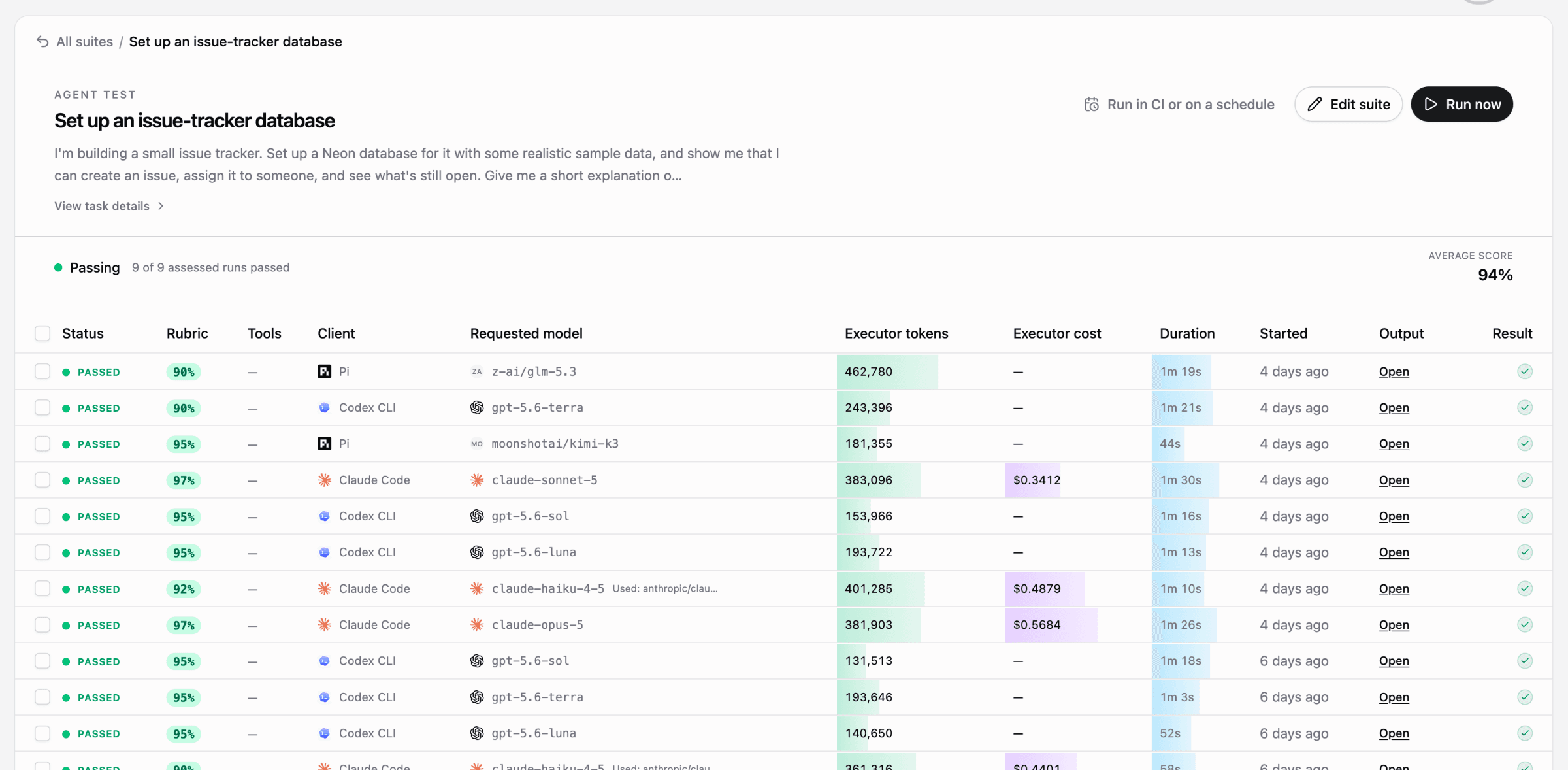
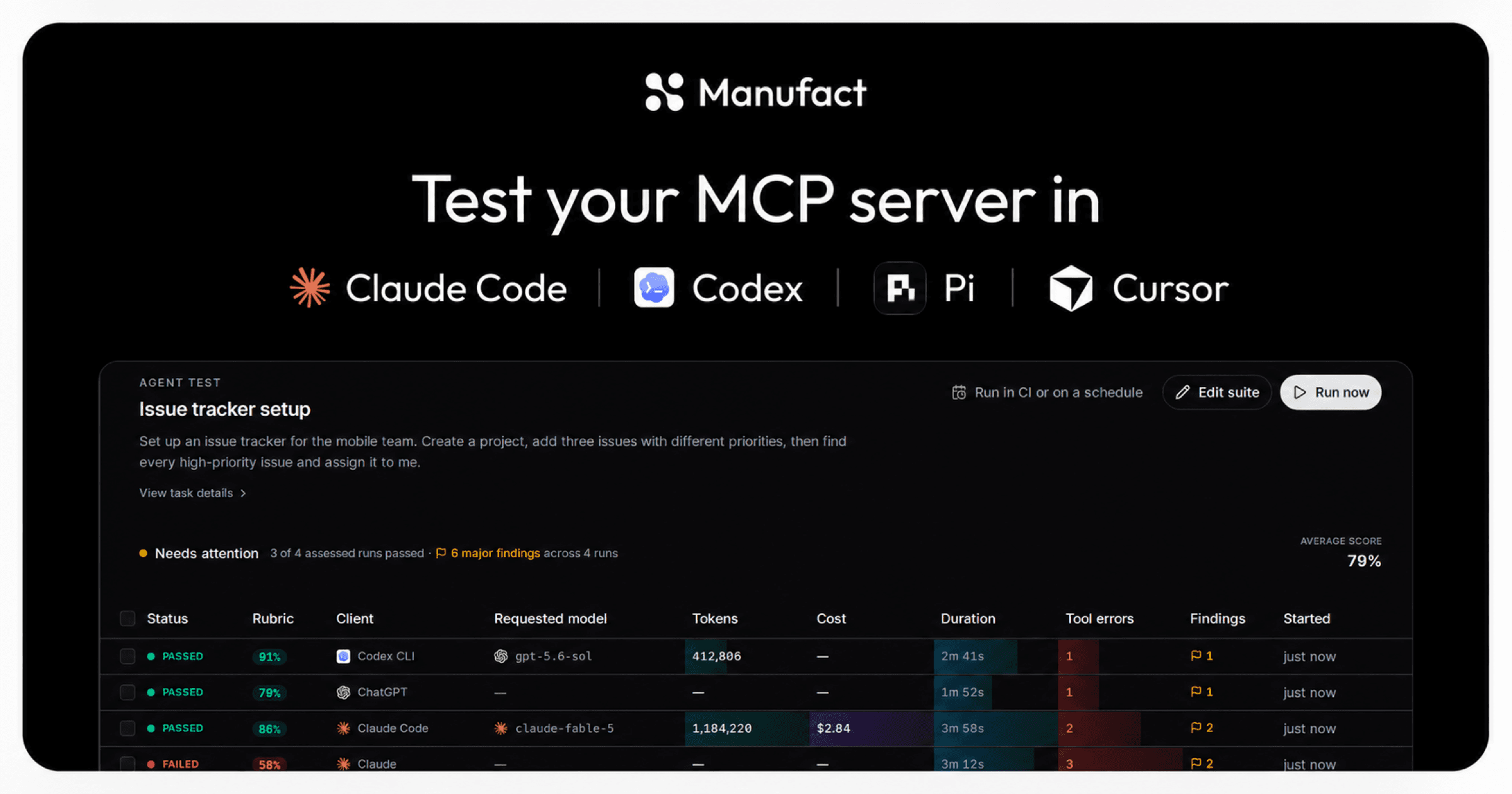
An example eval suite in the Manufact platform. The per-client runs show why we review tool calls as well as the final score.
For your server, write evals around tasks users care about. Include a normal path and one where the user has not finished setup. Check the outcome, then read the tool trace for errors even when the run passes. Manufact test suites run a task across chat clients and coding agents and keep the calls and responses for review.
Start with one task your users rely on. If an agent recovers only through guesswork, inspect the tool name, schema and error response. If it passes in one client, run it in the others your users use.
Get started
Scaffold a new server with mcp-use:
npx create-mcp-use-app my-serverPush it to GitHub and deploy it on Manufact. Manufact adds analytics and test suites, the same tools we used on our own server. Or connect Manufact MCP and let your agent run the deploy.