"How do I upload a file through my MCP server?" is one of the questions we get most often. MCP does not define a way for a client to send a file to a tool yet, so every server picks its own approach.
The obvious approach is a base64 string in a tool argument. It makes the model write out every byte as output tokens, and models make copying mistakes: a developer reported a 3 KB PNG that reached the server 32 characters short and was saved as a broken image.
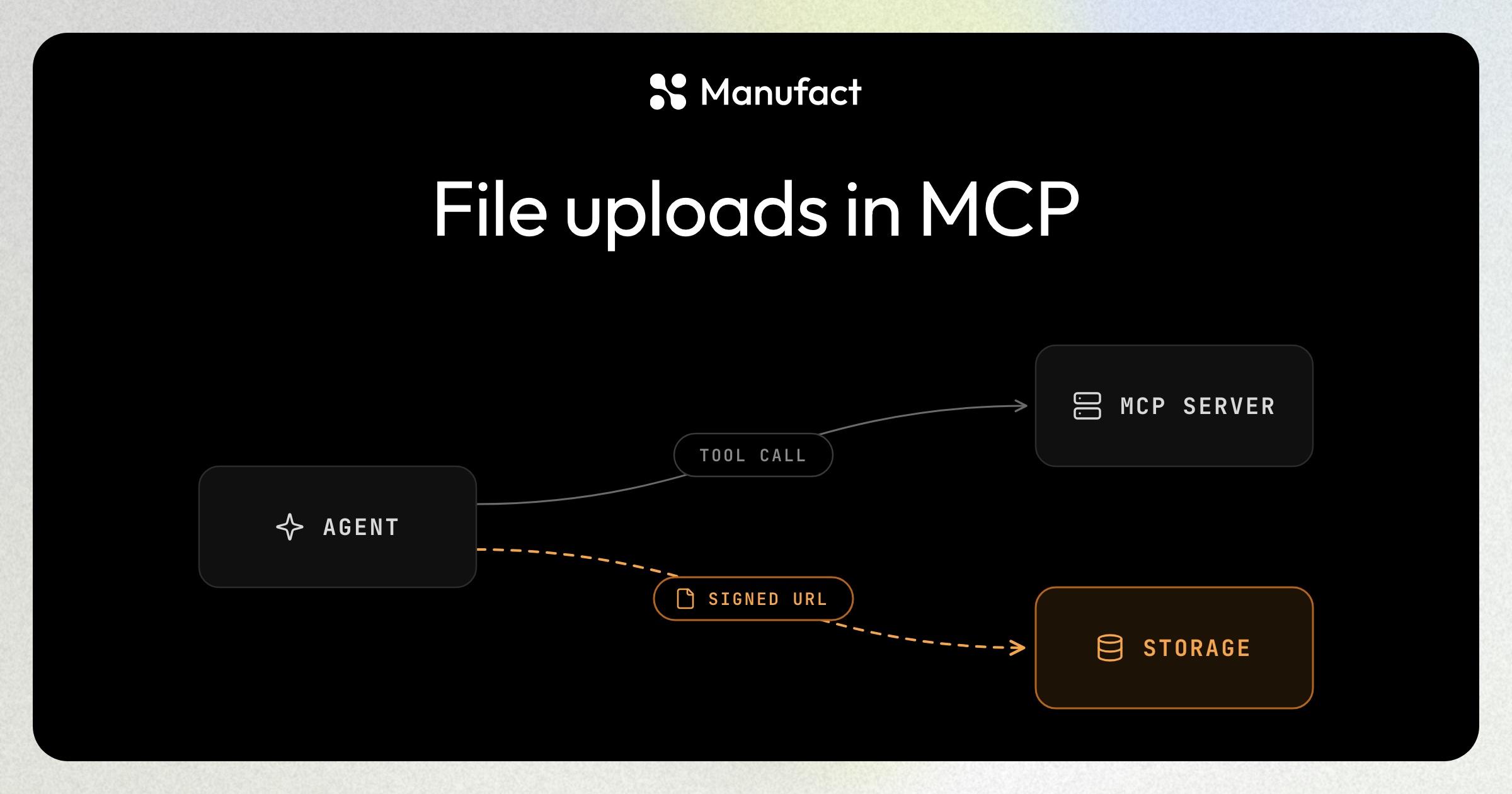
Linear's MCP server keeps the file out of the tool call with a signed upload URL.
How Linear does it
- The agent calls
prepare_file_uploadwith the file name, MIME type, and exact size in bytes. - Linear's server returns a signed upload URL with the headers to send, plus an
assetUrlfor the finished file. - With an HTTP
PUT, the agent sends the raw bytes to that URL, outside of MCP. - The
assetUrlthen goes into the tool call that needs the file, for example as an image in a comment.
Linear signs the content-type and x-goog-content-length-range headers into the URL. The range's minimum and maximum are both the declared size, so storage rejects a file of any other size or type, and the tool asks for the exact byte count for that reason. Each URL expires after 60 seconds. Because the agent performs the upload, the tool description includes the curl command and warns that omitting or changing a signed header returns a 403.
Typefully's MCP server follows the same pattern: create_media_upload returns a presigned S3 URL and a media_id to attach to a draft.
Do the same in your server
Split the upload across two tools:
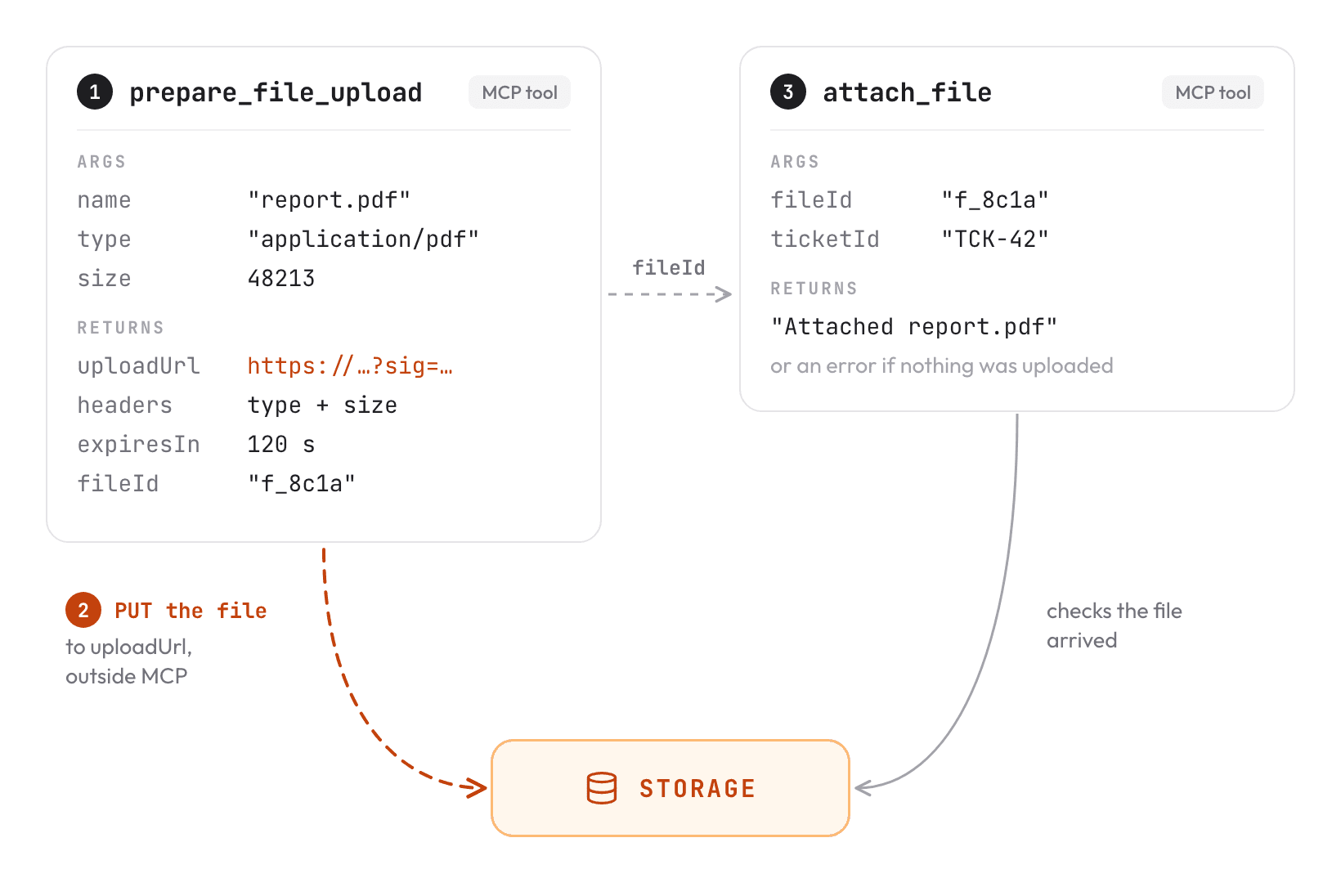
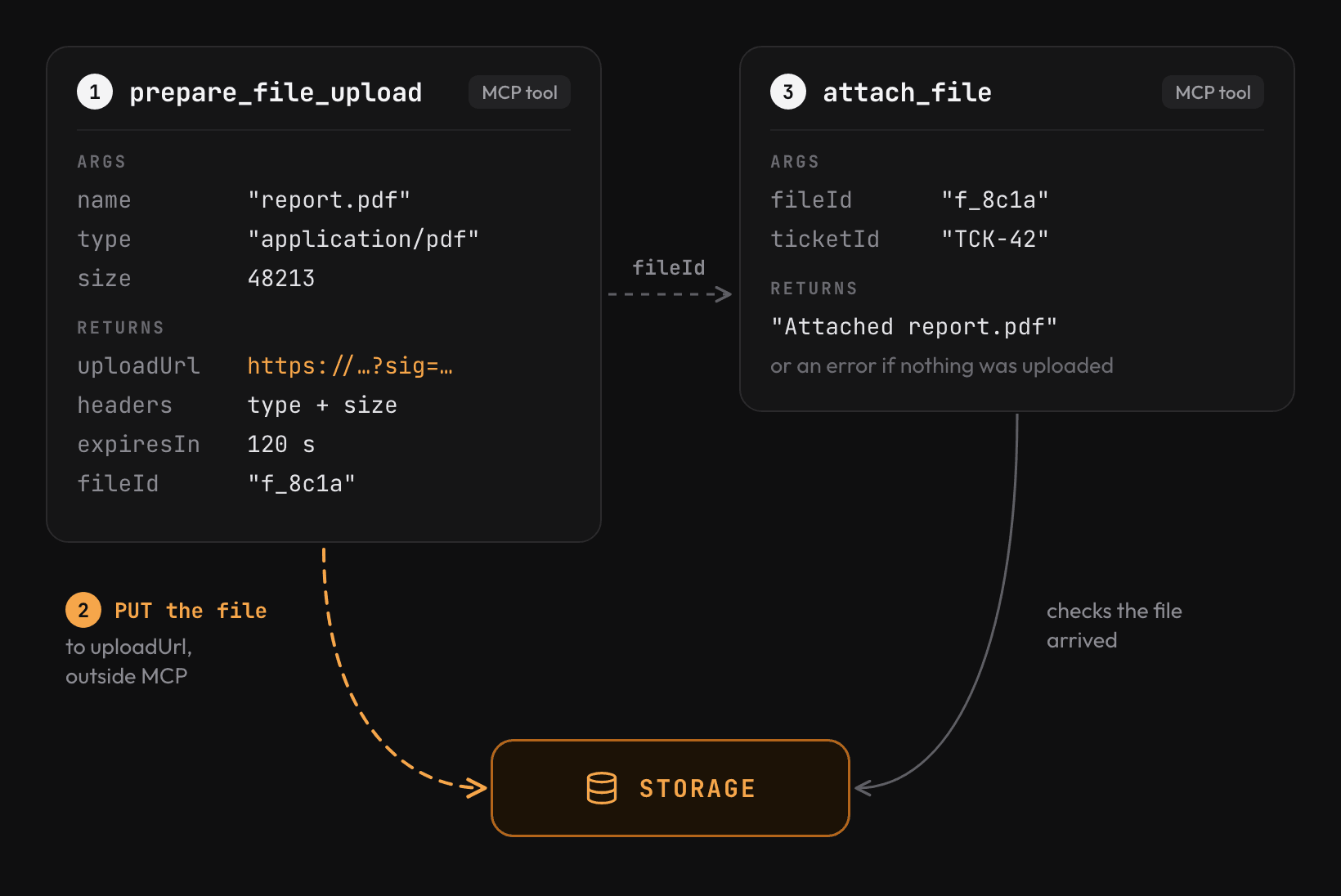
The first tool validates the file's metadata and signs a URL that expires within minutes. The agent uploads the file to that URL and passes the file ID to the second tool, which checks that the object exists in storage before using it.
Amazon S3 and Google Cloud Storage both create signed upload URLs. For S3 in TypeScript, use getSignedUrl from @aws-sdk/s3-request-presigner. Write the upload steps into the first tool's description, since the agent is the one sending the bytes.
Drag and drop with an MCP App
Signed URLs only work when the agent can send the upload itself. Coding agents such as Claude Code run curl next to the user's files. Chat apps are less predictable: a developer reported that the same flow fails in Claude Desktop, whose sandbox can only reach allowlisted hosts.
In a chat app, the upload can run in an MCP App instead. A tool opens a small web UI in the conversation, and the user drags the file onto its drop zone or picks it from disk.
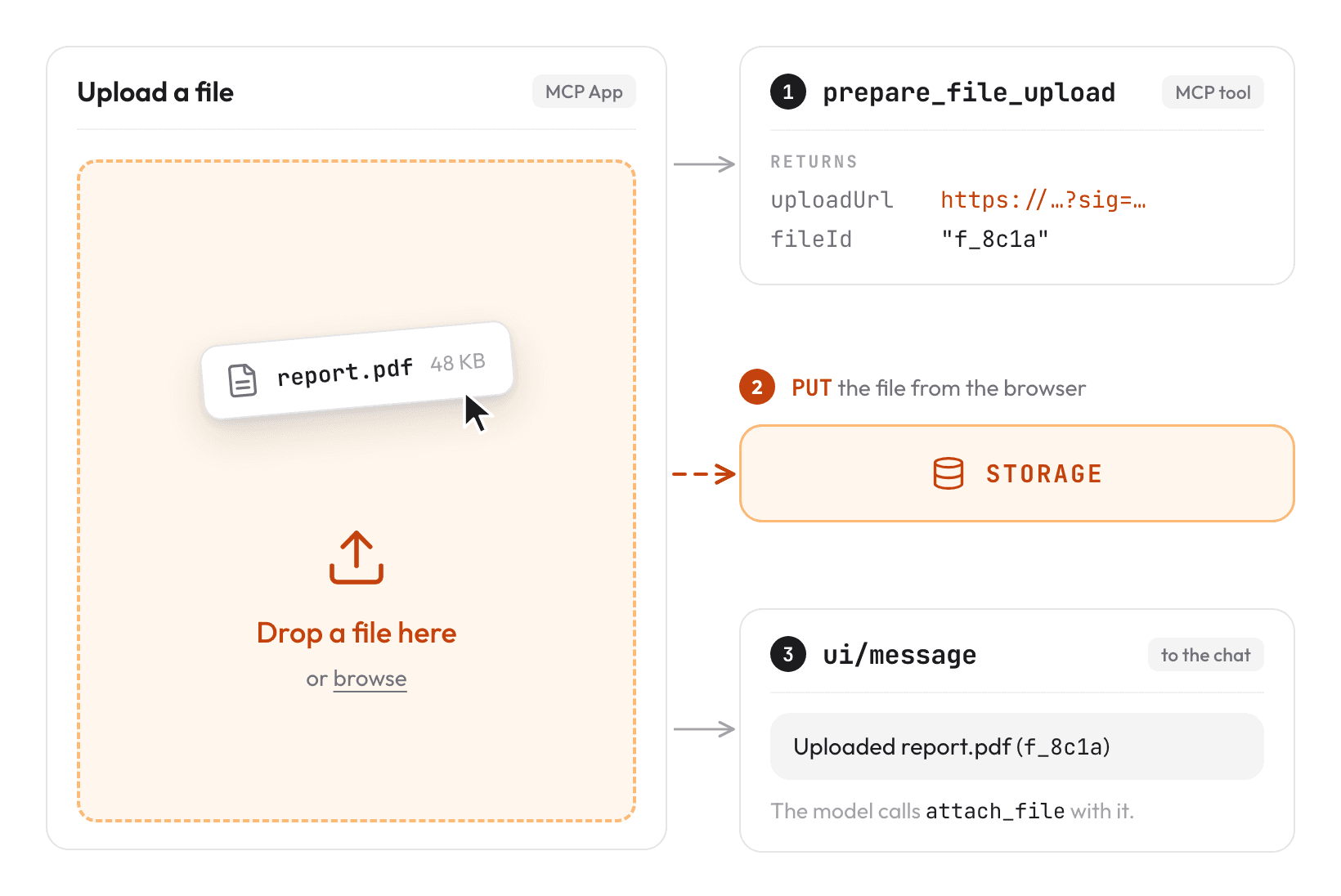
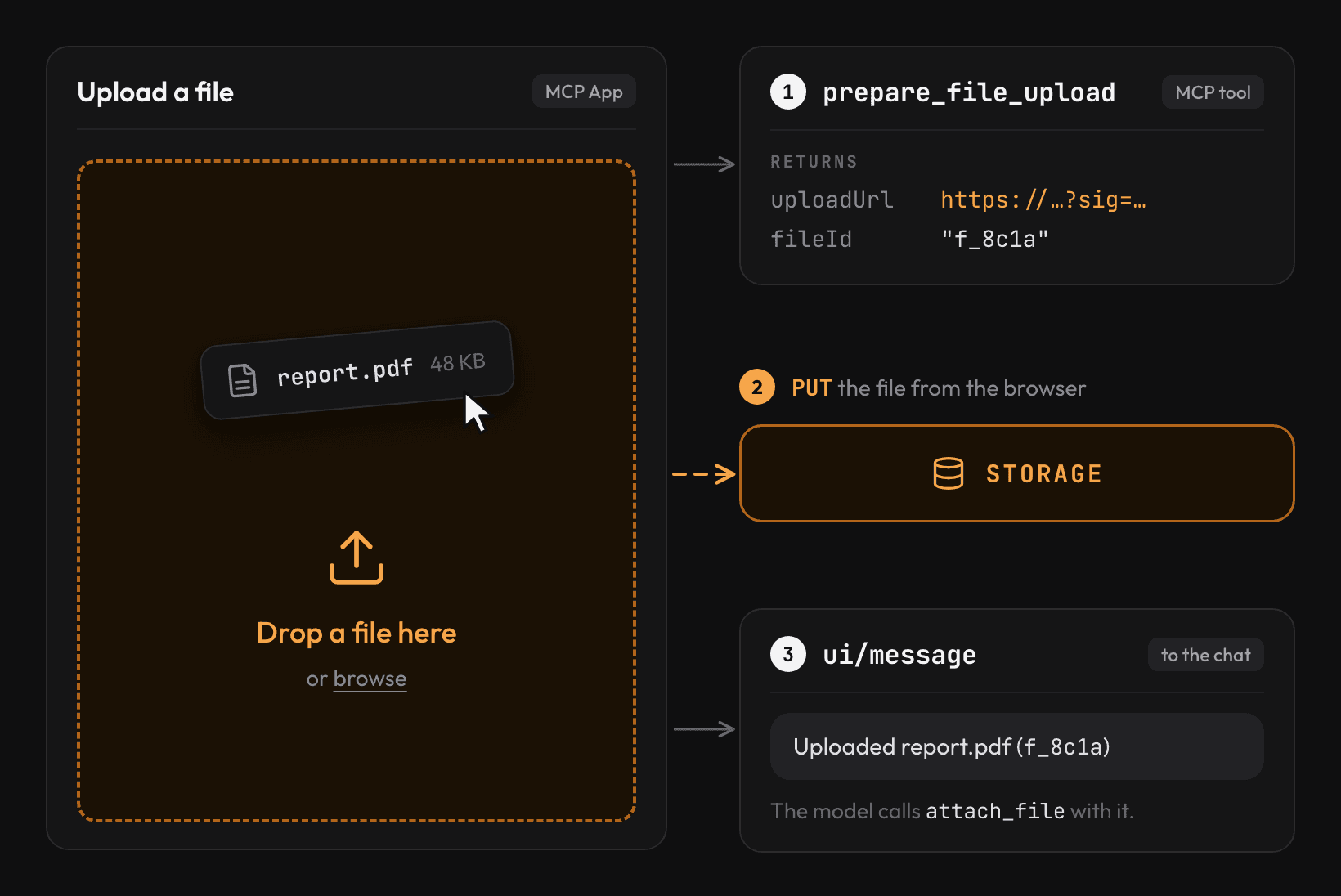
The app calls prepare_file_upload and sends the PUT from the browser. Hosts block requests to undeclared origins, so add the storage origin to connectDomains in the app's CSP. When the upload finishes, the app posts the file ID to the chat with ui/message, and the model passes it to attach_file. This works in hosts that render MCP Apps, such as Claude and ChatGPT.
This is not the final solution
The MCP maintainers are working on a native way to do this. The File Uploads Working Group, led by MCP lead maintainer Den Delimarsky, is drafting an experimental extension in which tools mark file arguments in their input schema and the client uploads the file itself. Neither the file nor the upload URL enters the model's context. The extension is not part of the MCP specification yet and has no reference implementation.