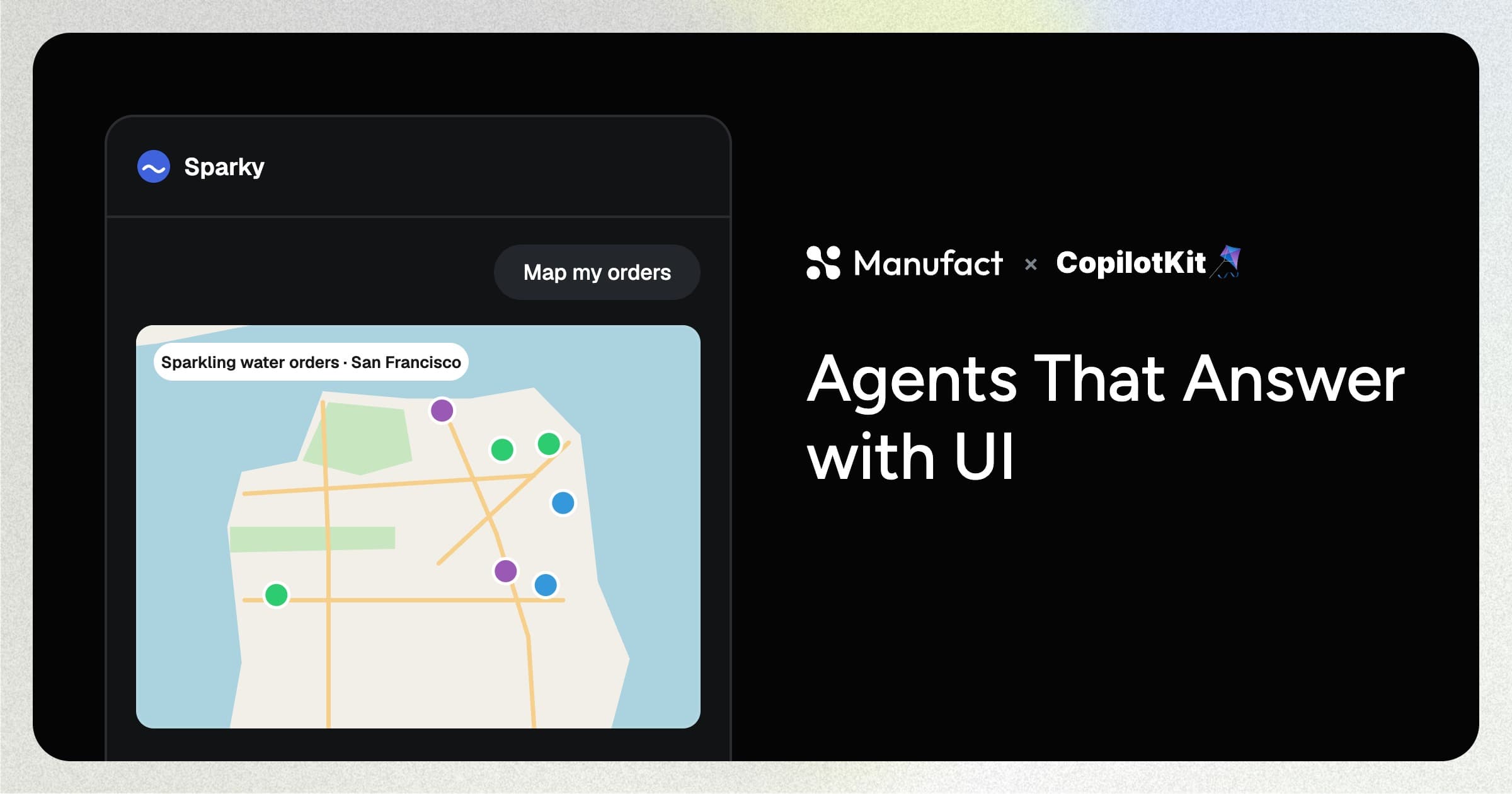
Picture an order dashboard for a sparkling water company. Each row holds a retailer, an address, and a delivery status.
CopilotKit adds an agent to that dashboard, so you can ask about orders or ship them from a chat window. Now ask the agent which orders go out today. You get text back: order IDs and addresses in one long reply. A map would show the same data at a glance.
MCP Apps let an agent answer with UI. An MCP App pairs a tool with its own interface, and the host renders that interface in the chat when the agent calls the tool. mcp-use builds the map as an MCP App, and CopilotKit acts as the host.
Start with your app
Follow the CopilotKit cookbook for the complete setup. The snippets below are shortened.
Fizzy Business Co. sells sparkling water to local shops around San Francisco, with flavors like Inbox Zero Yuzu and Wi-Fi Hibiscus. The team tracks every delivery in a Next.js dashboard.
You can search orders, filter them by status, edit a row, or select a few and mark them as shipped.
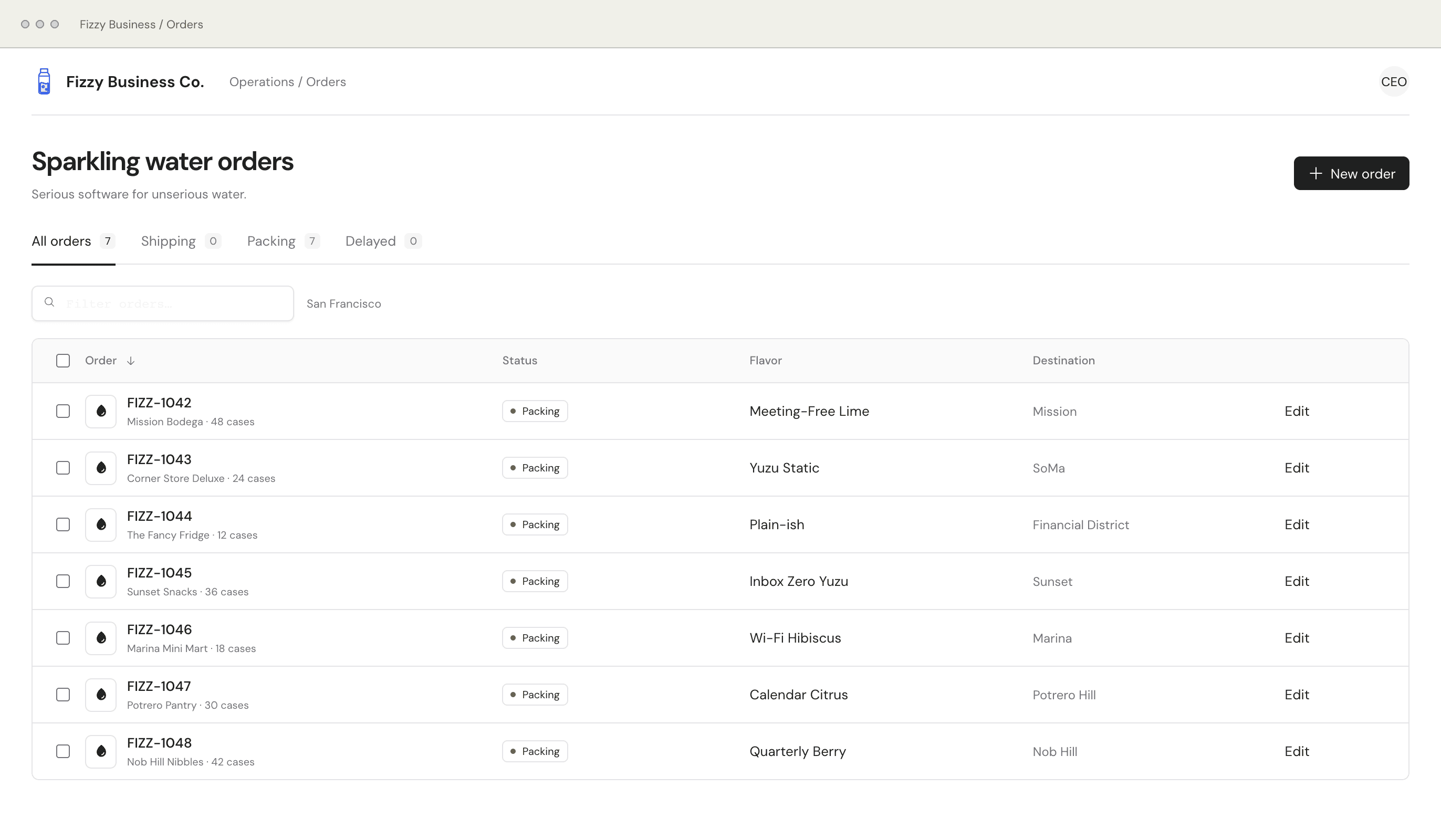
Right now, the team clicks through rows to find a delayed order or ship a batch. Let's add a CopilotKit agent that takes those requests in plain English.
Give your app a copilot
CopilotKit has two halves. The runtime runs the agent on your server, and the React SDK connects your UI to it.
Start with one API route. BuiltInAgent pairs a model with a system prompt, and CopilotRuntime serves it at /api/copilotkit.
// app/api/copilotkit/[[...slug]]/route.ts
import {
  BuiltInAgent,
  CopilotRuntime,
  createCopilotRuntimeHandler,
  InMemoryAgentRunner,
} from "@copilotkit/runtime/v2";

const handler = createCopilotRuntimeHandler({
  runtime: new CopilotRuntime({
    agents: {
      default: new BuiltInAgent({
        model: "openai/gpt-5.5",
        prompt: "You are Sparky, Fizzy Business's operations copilot.",
      }),
    },
    runner: new InMemoryAgentRunner(),
  }),
  basePath: "/api/copilotkit",
});

export const GET = handler;
export const POST = handler;
On the client, wrap the app in <CopilotKit> and drop in <CopilotPopup />.
The team now has a chat window, and we named the agent Sparky.
The agent still can't see the dashboard. useAgentContext hands it the current orders, so it can answer questions like "What's delayed?"
To change data, the agent needs a tool. useFrontendTool registers one that runs in the browser, and its handler updates the same order state the dashboard renders.
useAgentContext({ description: "Current sparkling water orders", value: orders });

useFrontendTool({
  name: "shipOrders",
  description: "Mark orders as Shipping.",
  parameters: z.object({
    all: z.boolean().optional(),
    orderIds: z.array(z.string()).optional(),
  }),
  handler: async ({ all, orderIds }) => shipOrders({ all, orderIds }),
});
Ask Sparky to ship every order over 30 cases. It picks the three orders from context and ships them with one shipOrders call.
Give Sparky a map
Ask Sparky where today's orders go, and it lists seven neighborhoods. The team still has to picture San Francisco to plan the route.
On a map, the plan jumps out. The Sunset and the Mission sit across the south side of the city, so one truck can take both.
An MCP App built with mcp-use has two halves. The server defines the tool, and a view renders what the tool returns.
On the server, the view field ties show-map to a React component. mcp-use loads it from views/map-view/view.tsx.
// index.ts
import { MCPServer } from "mcp-use";

const server = new MCPServer({
  name: "fizzy-maps",
  title: "Fizzy Maps",
  version: "1.0.0",
  description: "Sparkling water deliveries on a Leaflet map.",
});

export const showMap = server.tool({
  name: "show-map",
  inputSchema: mapSchema, outputSchema: mapSchema,
  view: {
    name: "map-view",
    csp: {
      resourceDomains: ["https://tile.openstreetmap.org"],
      connectDomains: ["https://tile.openstreetmap.org"],
    },
  },
}, async (map) => ({
  content: [{ type: "text", text: "Map ready." }],
  structuredContent: map,
}));
The CSP allowlist lets the view load OpenStreetMap tiles. Without it, the markers appear on a blank map.
The view runs inside the host. useToolContext hands it the tool's structuredContent, and Leaflet draws the markers.
// views/map-view/view.tsx
import { useToolContext } from "mcp-use/react";
import L from "leaflet";

export default function MapView() {
  const view = useToolContext<"show-map">();
  const data = view.status === "ready" ? view.toolOutput : null;

  useEffect(() => {
    if (!data) return;
    const map = L.map("map").setView(data.center, data.zoom);
    L.tileLayer("https://tile.openstreetmap.org/{z}/{x}/{y}.png")
      .addTo(map);
    data.markers.forEach(({ lat, lng }) =>
      L.marker([lat, lng]).addTo(map));
    return () => map.remove();
  }, [data]);

  return <div id="map" />;
}
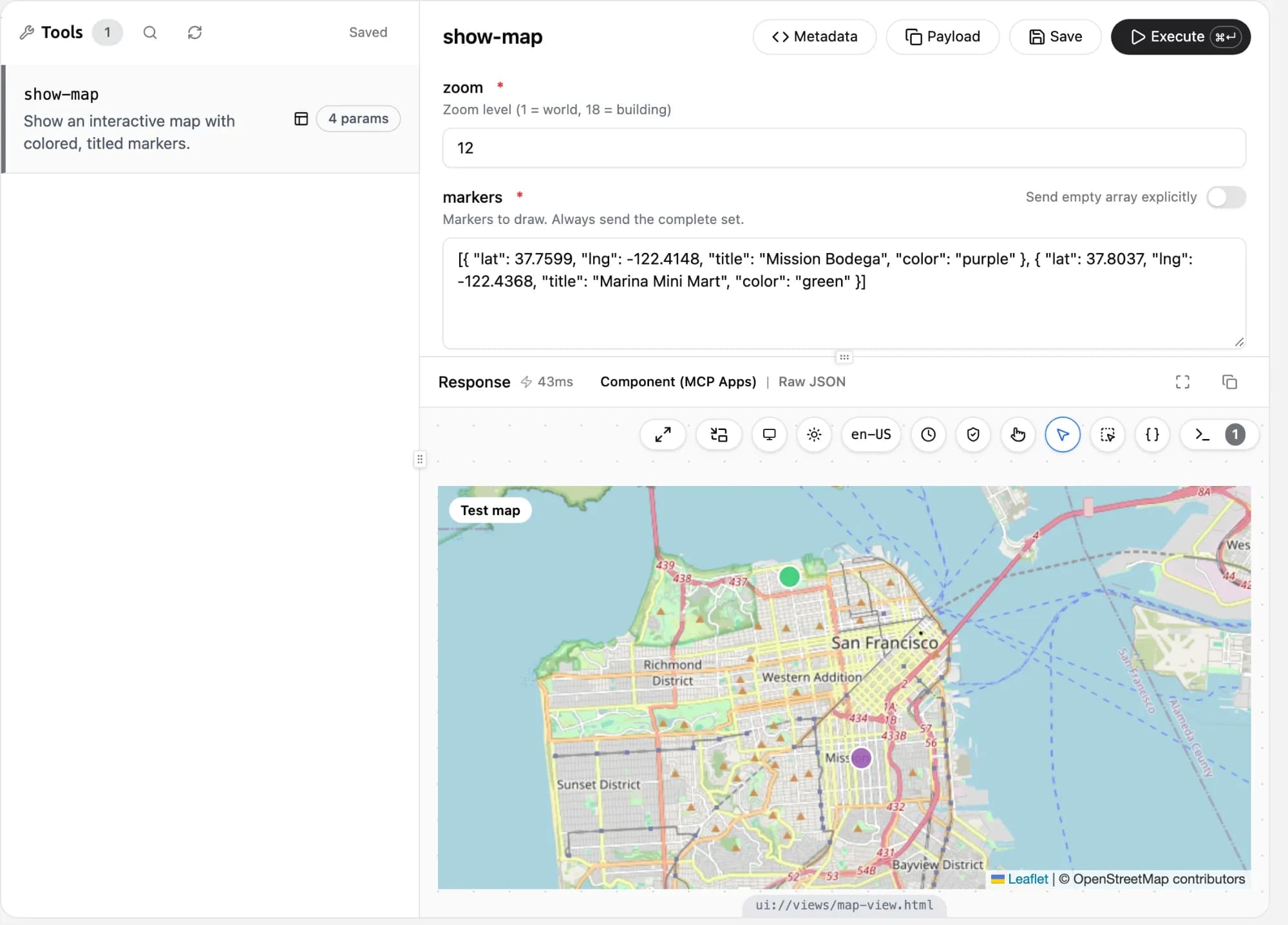
Run mcp-use dev and try show-map in the mcp-use Inspector to test it.
Connect the map to Sparky
Add an mcpApps entry to the runtime with the map server's URL. The runtime connects to the server, lists its tools, and hands show-map to the agent next to shipOrders. The full route now looks like this:
import {
  BuiltInAgent, CopilotRuntime,
  createCopilotRuntimeHandler,
} from "@copilotkit/runtime/v2";

// One runtime hosts both the agent and its MCP apps.
const runtime = new CopilotRuntime({
  agents: { default: new BuiltInAgent({
    model: "openai/gpt-5.5",
  })},

  // The only thing this app knows about the map: its URL.
  mcpApps: { servers: [{
    type: "http",
    url: process.env.NEXT_PUBLIC_MAP_MCP_URL!,
    serverId: "maps",
  }]},
});

// Expose the runtime through the Next.js route.
const handler = createCopilotRuntimeHandler({
  runtime, basePath: "/api/copilotkit",
});

// Agent runs and MCP traffic share this endpoint.
export { handler as GET, handler as POST };
When Sparky calls show-map, the runtime reads the view from the MCP server and CopilotKit renders it in the chat.
Change the view and Sparky renders the new version on its next call, with no change to the dashboard.
Putting it all together
Open Sparky and ask it to map your orders.
This time, Sparky calls show-map, and the map draws right in the chat.
Hover a marker to see its order. Tell Sparky to ship the orders in the Sunset and the Mission, and FIZZ-1045 and FIZZ-1042 move to Shipping in the dashboard.
One conversation used two kinds of tools. show-map comes from a separate MCP server and brings its own UI. shipOrders lives in the dashboard and changes its state.
Build it yourself
I want to give a huge thanks to Tyler Slaton at CopilotKit, who built this demo for MCP Apps night.
The full demo lives in CopilotKit/mcp-apps-demo-night-talk, so you can clone it and run it yourself.
To build your own:
- The CopilotKit quickstart sets up an agent in your React app.
- The mcp-use docs cover MCP servers and MCP Apps.