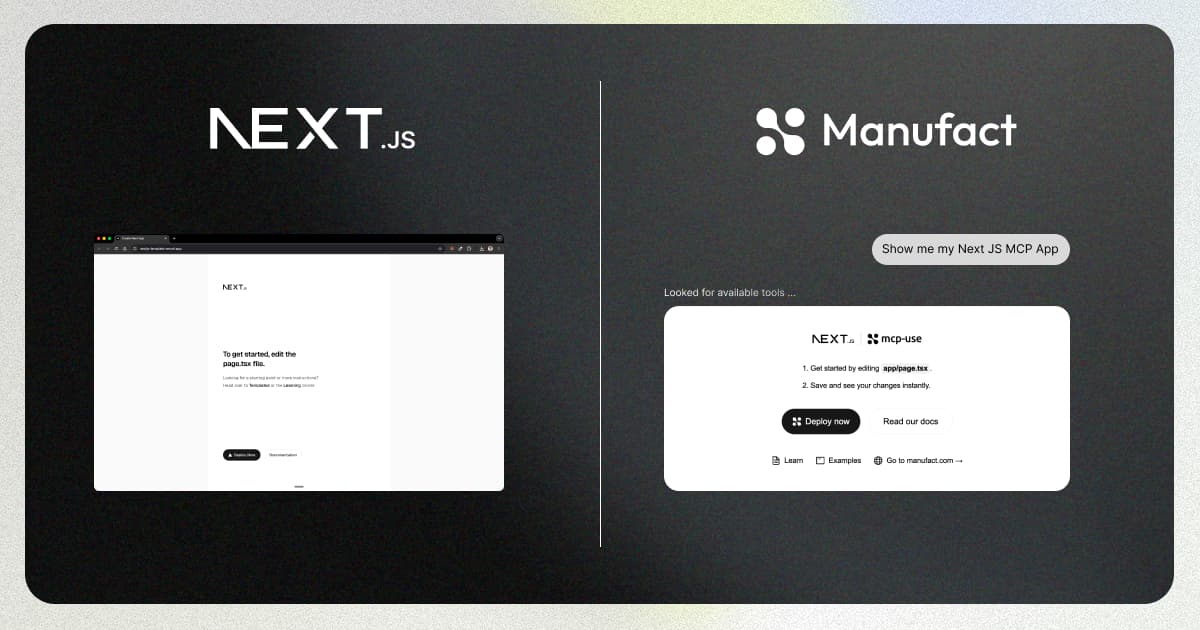
You have a Next.js app with tools, services, and a component library you've already built. Now you want to expose a subset of that to Claude, ChatGPT, or Cursor as an MCP server, without forking the codebase and without turning your product into something else.
The two obvious options both have a tax. The third one, which we ended up shipping, is the subject of this post: run the MCP server as a separate Node process that lives inside the same repo and imports the same source tree. Two build pipelines, two deploys, one src/. No sibling package, no retrofit of the Next.js app itself.
Why we built this
We had a customer running Next.js 16 + React 19 + Supabase with a mature assistant stack: dozens of tools wired through the Vercel AI SDK, a shadcn component library, an OrganizationContext, Sentry, PostHog. They wanted to expose a dozen of those tools to Claude and ChatGPT. They did not want to fork the codebase, extract everything into a workspace package, or rewrite their root layout.
We went through several approaches before landing here. The short version:
- Approaches that tried to make the Next.js app itself serve MCP fought the existing layout, auth, routing, and middleware.
- Approaches that split the MCP server into a sibling package demanded a drift tax: two call sites for every service edit, two env surfaces, and a package boundary around code that had been happily living at
@/lib/foo.
A separate process with a shared source tree was the only path that didn't ask the customer to change how they build their product. The rest of this post is what that looks like, and what the CLI does under the hood to make it feel like "drop in."
The two options we rejected
Option 1: "The Next.js app is the MCP app"
Vercel published a walkthrough for this pattern. It works if your Next.js app is built for it from day one. To retrofit it onto an existing app, you sign up for:
assetPrefixrewriting so assets load from the MCP host- A
<base href>tag injected into every page history.pushStateoverridden so widgets don't navigate the parent framewindow.fetchmonkey-patched so relative fetches go to the right originsuppressHydrationWarningsprinkled across the tree- CORS middleware on every API route
- External link interception via
window.openai.openExternal()
None of these are hard individually. On top of an existing app that already has an auth provider, an OrganizationContext, a root layout with Sentry + PostHog + FullStory, and a dozen API integrations, the combined surface is fragile. Vercel's own post says this out loud (the honest thing to do), but that doesn't help you if you already have the app.
Option 2: Maintain a sibling MCP package
The steelman version, since this is where a competent monorepo user will push back: with pnpm workspaces or Turborepo you don't actually copy shadcn components around. You extract @myapp/ui as a workspace package, both apps depend on it, one source of truth, no drift.
That's real, and if you're already running a polished monorepo you should absolutely consider it. The friction we kept hitting was narrower: workspace packages force you to extract code into a package boundary before you can share it. Every @/lib/util.ts one-liner becomes a question of which package it belongs to, whether it needs its own build, whether it re-exports types correctly, and whether the consuming app's bundler follows the package's exports map. For a team that already has @/lib/... ergonomic across a single Next.js app, that boundary tax is paid on every small shared utility, forever.
Physical process separation with a shared source tree skips the boundary entirely: a tool in src/mcp/ imports @/lib/foo the same way a route in src/app/ does, because they resolve through the same tsconfig.json.
Option 3: Physical process separation, shared source
We shipped this in mcp-use v1.25.0 and packaged it as mcp-use/next-js-mcp-app-template — if you'd rather skip ahead, click "Use this template" there and come back. The shape:
my-app/
├── package.json                 # one install
├── tsconfig.json                # one @/* alias
├── src/
│   ├── app/
│   │   ├── page.tsx             # exports StarterPage — used by both Next.js AND the widget
│   │   └── globals.css
│   ├── components/              # shared components (used by page AND widget)
│   └── mcp/                     # the only new subtree
│       ├── index.ts             # MCPServer + tool registrations
│       └── resources/
│           └── demo_page/
│               └── widget.tsx
Runtime topology:
         ┌──────────────────────────────┐
         │  src/ (one source of truth)  │
         │   components/  lib/  types/  │
         └───────┬──────────────┬───────┘
                 │              │
          next build      mcp-use build
                 │              │
                 ▼              ▼
        ┌──────────────┐  ┌──────────────┐
        │  Vercel      │  │  Node host   │
        │  Next.js app │  │  MCP server  │
        └──────────────┘  └──────────────┘
The Next.js app deploys to Vercel and never loads anything under src/mcp/: nothing in src/app/ imports from it, so next build leaves the subtree out of the route graph and the client bundle. The MCP server deploys to Manufact Cloud (or any Node host) and never runs next build. They share a repo, a package.json, a node_modules/, a tsconfig, and a component library.
From src/mcp/index.ts:
import { MCPServer, text, widget } from "mcp-use/server";
import { z } from "zod";

const server = new MCPServer({
  name: "nextjs-dropin-template",
  version: "0.1.0",
  description: "Demo MCP server living alongside a Next.js app at src/mcp/.",
});

server.tool(
  {
    name: "show_demo_page",
    description:
      "Render the Next.js starter page inside an MCP widget, using the same component the Next.js home page renders.",
    schema: z.object({}),
    widget: {
      name: "demo_page",
      invoking: "Rendering Next.js starter...",
      invoked: "Next.js starter ready",
    },
  },
  async () => {
    return widget({
      props: {},
      output: text(
        "Rendered the Next.js starter page inside the MCP widget — same React component as src/app/page.tsx.",
      ),
    });
  },
);

server.listen().then(() => {
  console.log("[mcp] nextjs-dropin-template server ready");
});
From src/mcp/resources/demo_page/widget.tsx:
import {
  McpUseProvider,
  useWidget,
  useWidgetTheme,
  type WidgetMetadata,
} from "mcp-use/react";
import { z } from "zod";

// Pull in the Next.js app's globals.css so the widget inherits the same
// Tailwind dark-mode variant and design tokens.
import "@/app/globals.css";

// The SAME component the Next.js home page renders. Editing
// src/app/page.tsx updates both surfaces on the next HMR cycle.
import { StarterPage } from "@/app/page";

const propsSchema = z.object({});
type Props = z.infer<typeof propsSchema>;

export const widgetMetadata: WidgetMetadata = {
  description:
    "The Next.js starter page, rendered inside the MCP widget iframe.",
  props: propsSchema,
};

export default function DemoPageWidget() {
  const { isPending } = useWidget<Props>();
  const theme = useWidgetTheme();

  if (isPending) {
    return (
      <McpUseProvider autoSize>
        <div className="p-5 text-sm text-zinc-500">Loading…</div>
      </McpUseProvider>
    );
  }

  return (
    <McpUseProvider autoSize>
      <StarterPage theme={theme} embed />
    </McpUseProvider>
  );
}
No next.config.js changes, no <base> tag, no CORS middleware, no sibling package.
What the CLI does so you don't have to
The "drop in" feeling comes from four things @mcp-use/cli does when it sees next in your package.json. Two of them were non-obvious enough that we got them wrong on the first try.
1. @/* resolution through your project tsconfig. MCP tools compile through tsx; widgets compile through Vite. We wired both to read your project's tsconfig.json and its paths entries (the same way next dev does) via a namespace-less tsx/esm/api.register + tsx/cjs/api.register pair plus vite-tsconfig-paths in the widget build. @/lib/... imports resolve to the same files next dev resolves them to, using the same rules.
An earlier iteration tried to use tsx's tsImport helper. That helper registers tsx with a generated namespace, and tsx's resolver bails with return nextResolve(...) for any specifier whose parent URL doesn't carry that namespace. Transitive @/lib/... imports silently fell through to Node's default resolver and failed with Cannot find package '@/lib'. Dropping the namespace makes tsx's resolver run uniformly on every specifier.
2. Auto-shimmed Next.js server-runtime modules. Anything you import from @/lib/... may transitively pull in server-only, next/cache, next/headers, next/navigation, or next/server. All of those throw or misbehave outside an RSC request context. The CLI detects next in your package.json and installs a pair of loader hooks that resolve each specifier to an inert stub: one hook covers ESM import, the other covers CJS require (the latter because tsx compiles .ts to CJS in any non-"type": "module" package). Your tool can import { cookies } from "next/headers" and get a cookies() that returns empty, not a crash.
This is a convenience with a sharp edge. See the caveat at the bottom about the 5% of tools that actually need real request state.
3. Next.js env cascade, mirrored. next dev loads .env → .env.development → .env.local → .env.development.local in priority order. mcp-use dev runs the same cascade before starting your server, so process.env.SUPABASE_SERVICE_ROLE_KEY is populated the same way it would be under Next.
4. React dedupe across the widget iframe. Widgets run in an iframe with Vite-served React. Without aggressive dedupe, an HMR cycle can introduce a second React module instance and the next render throws Cannot read properties of null (reading 'useState'), the classic hooks-dispatcher-mismatch crash. We broadened Vite's resolve.dedupe to cover react, react-dom, react/jsx-runtime, react/jsx-dev-runtime, and react-dom/client, which keeps one runtime instance alive through any number of edits.
None of this shows up in your code. You write src/mcp/index.ts the same way you'd write any other server file in your Next.js app.
Two deployments, one repo
The Next.js side deploys to Vercel the way it always did. next build doesn't touch src/mcp/, so the web bundle doesn't ship MCP server code or pay the mcp-use bundle tax.
The MCP side deploys to Manufact Cloud (or any Node host) with explicit build and start commands that bypass Next entirely:
mcp-use deploy \
  --build-command 'npm run mcp:build' \
  --start-command 'npm run mcp:start'
Two pipelines, one source tree. The runtimes never overlap. When the MCP server crashes on Manufact, Vercel doesn't care. When Vercel rate-limits you, the MCP server keeps serving tools. Blast radius is contained, and you get both without operating two repos.
Get started
New project:
gh repo create my-app --template mcp-use/next-js-mcp-app-template --clone
cd my-app && npm install
npm run dev &       # Next.js on :3000
npm run mcp:dev     # MCP server + inspector on :3001
The template is the standard create-next-app --ts --tailwind --app --src-dir output plus two MCP files (src/mcp/index.ts, src/mcp/resources/demo_page/widget.tsx), a StarterPage export added to src/app/page.tsx so both the route and the widget render the same component, and three npm scripts.
Retrofitting onto an existing Next.js app:
npm install mcp-useThen add three scripts to your package.json:
"mcp:dev":   "mcp-use dev --mcp-dir src/mcp",
"mcp:build": "mcp-use build --mcp-dir src/mcp",
"mcp:start": "mcp-use start --mcp-dir src/mcp"
And create src/mcp/index.ts with whatever tools you want exposed. Nothing in next.config.js changes. Nothing in src/app/ changes.
What this is not
Three honest caveats:
- Widgets don't get server actions. Widgets render in an iframe; to call back into your app from a widget, go through the MCP tool layer, not
"use server". This is the protocol, not a bug, but it's a shift if you're used to server actions. - Env vars on the MCP deploy are set independently.
.env.localstays on Vercel. The MCP deploy gets its own subset through its host's dashboard. There's no magic sync. NEXT_PUBLIC_*is a Next.js convention, not a runtime.next buildinlinesNEXT_PUBLIC_*values into the client bundle. The MCP process reads fromprocess.envlike any Node program: if you import a shared module that readsprocess.env.NEXT_PUBLIC_FOO, it has to be set on the MCP host too. Assume nothing carries over.- Side-effecting observability imports will fire twice. If
@/lib/footransitively imports your Sentry or PostHog init module, the MCP process initializes its own client when that module loads. That's usually what you want (you get MCP traces), but it means you're now reporting from two runtimes and should setservice/environmenttags accordingly. - The auto-shim is silent shimming (the caveat from point 2 above). If a tool transitively imports
cookies()fromnext/headersand actually depends on real cookies, the shim returns empty instead of throwing. That's the right default for 95% of tools and a gotcha for the other 5%. If you need real request state, read it from the MCP request context, not fromnext/headers.
If you've been putting off shipping MCP because it felt like a second codebase on the side of your main one, this is the fix.
- Template: github.com/mcp-use/next-js-mcp-app-template (click "Use this template")
- Release: mcp-use v1.25.0 changelog
- Requires:
mcp-use >= 1.25.0