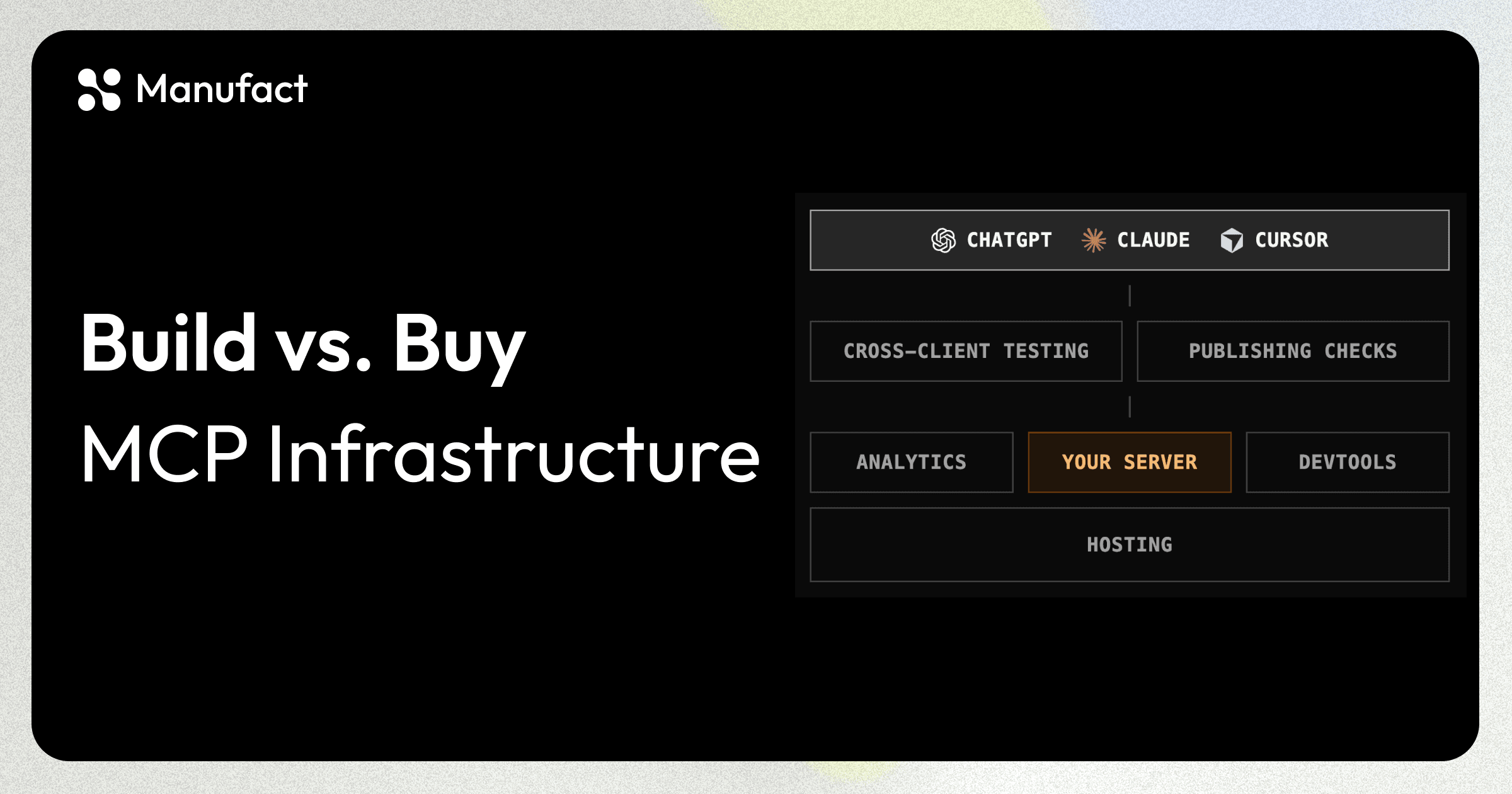
TL;DR: An MCP server is easy to stand up and hard to operate. The gap is everything a web app gets for free from a mature ecosystem and MCP has no equivalent for yet. These are the five layers a team takes on when it runs MCP in production itself:
- Hosting: previews, TLS, custom domains, rollbacks
- Analytics, logs, and traces: per-tool, per-client visibility with full payloads
- Cross-client testing: a browser matrix where the browsers are ChatGPT, Claude, and Cursor
- Publishing checks: store review rules with no linter
- Developer experience: debugging conversations you can't see
Standing one up is fast. With mcp-use or the official TypeScript or Python SDK you can define a few tools and watch the inspector call them the same afternoon. Your product becomes reachable from ChatGPT, Claude, Cursor, and any other MCP client.
Operating it is a different job, and the difference has little to do with the protocol. A web app ships with twenty years of ecosystem. An MCP server follows the model context protocol spec, which is itself evolving fast (v2 just shipped).
A diagram of an MCP server in production. Clients sit on top. Cross-client testing and publishing checks sit on the connection between the clients and your server. Your server sits in the middle with analytics and devtools attached on either side, and hosting is the substrate underneath. Each part is focusable and reveals a short description of the layer it maps to.
The tools you set out to build. Every other box exists to keep this one reachable, observable, and shippable.
Hosting
For a web app this is solved. Push a branch and a URL exists, TLS renews itself, and rollback is a button.
An MCP deploy is harder. You can't open the URL in a browser and see a page. Verifying a deploy means connecting an MCP client to it.
Even if various MCP inspectors exist, people often test directly on ChatGPT/Claude themselves. The caller is an agent mid-conversation, so a slow cold start becomes a failed tool call.
MCP App widgets have to resolve from a domain you own, with CSP connect-src and frame-src allowlists set correctly, before a host will render them.
The result: the server passes locally and breaks when a real client connects, or the widget renders as an empty frame because the CSP allowlist misses one host.
The pieces you build:
- Preview environments. Reviewing an MCP change means pointing a real client at a real deployment of that branch, so every branch needs a URL.
- Managed TLS and custom domains. Clients refuse plain HTTP, and widget domains have to be yours.
- Secrets split across preview and production without any of them landing in the repo.
- A build and deploy pipeline for your framework, kept current as the framework evolves.
And it's never done: your MCP framework's next version and every transport revision can break something.
How we solve:
Whatever you develop with, Manufact hosting already has a preset for it: mcp-use, the official TypeScript and Python SDKs, FastMCP, tmcp, xmcp, Skybridge, or a raw Dockerfile, with an integration guide for each in our tutorials. A connected repo gets a preview URL per branch.
Analytics, logs, and traces
A web app logs one line per request, and wiring up Datadog or Sentry takes an afternoon.
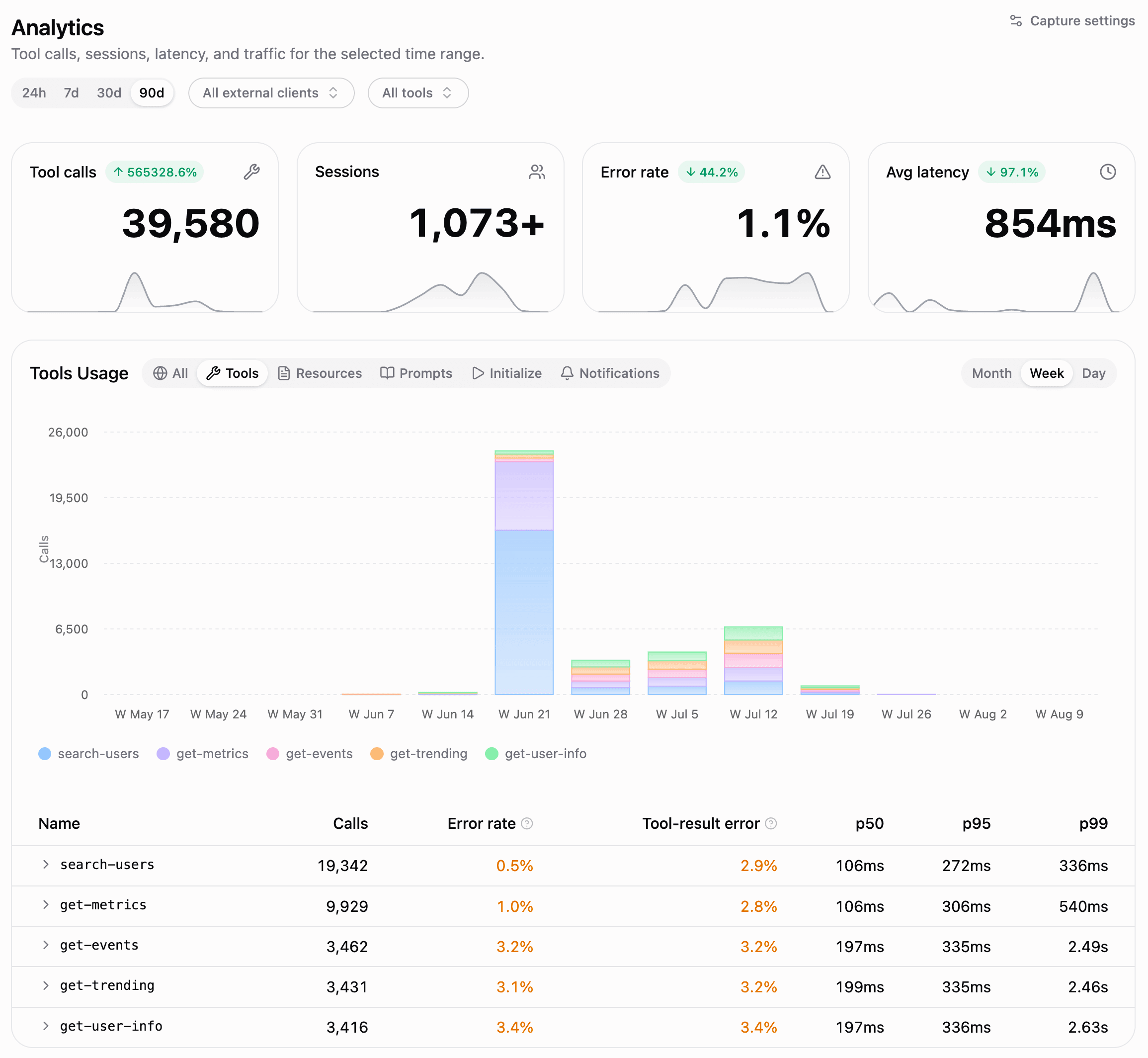
In MCP the unit of value is the tool call. A useful breakdown is per tool, per client, and per deployment revision. Payloads are full JSON-RPC bodies rather than a status code and a path, and storage grows with conversation length.
That's why Manufact offers analytics designed from scratch for MCP tools, breaking down error rates and latency for each tool you expose.
The pieces you build:
- Capture all the tool calls without adding latency.
- Breakdown for each client and version out there.
- Retention long enough to support MCP tools traces from long multi-turn conversations.
- Aggregates that link back to individual traces.
Sample only some of the things and you lose the failing sessions. Capture everything, and you are running a log pipeline with a pretty expensive storage bill.
Each new MCP surface (widgets, prompts, resources) needs its own schema before it shows up in any dashboard.
How we solve:
On Manufact, every exchange is captured with a shareable link, and Analytics keeps the per-tool, per-client percentiles linked to the traces behind them.
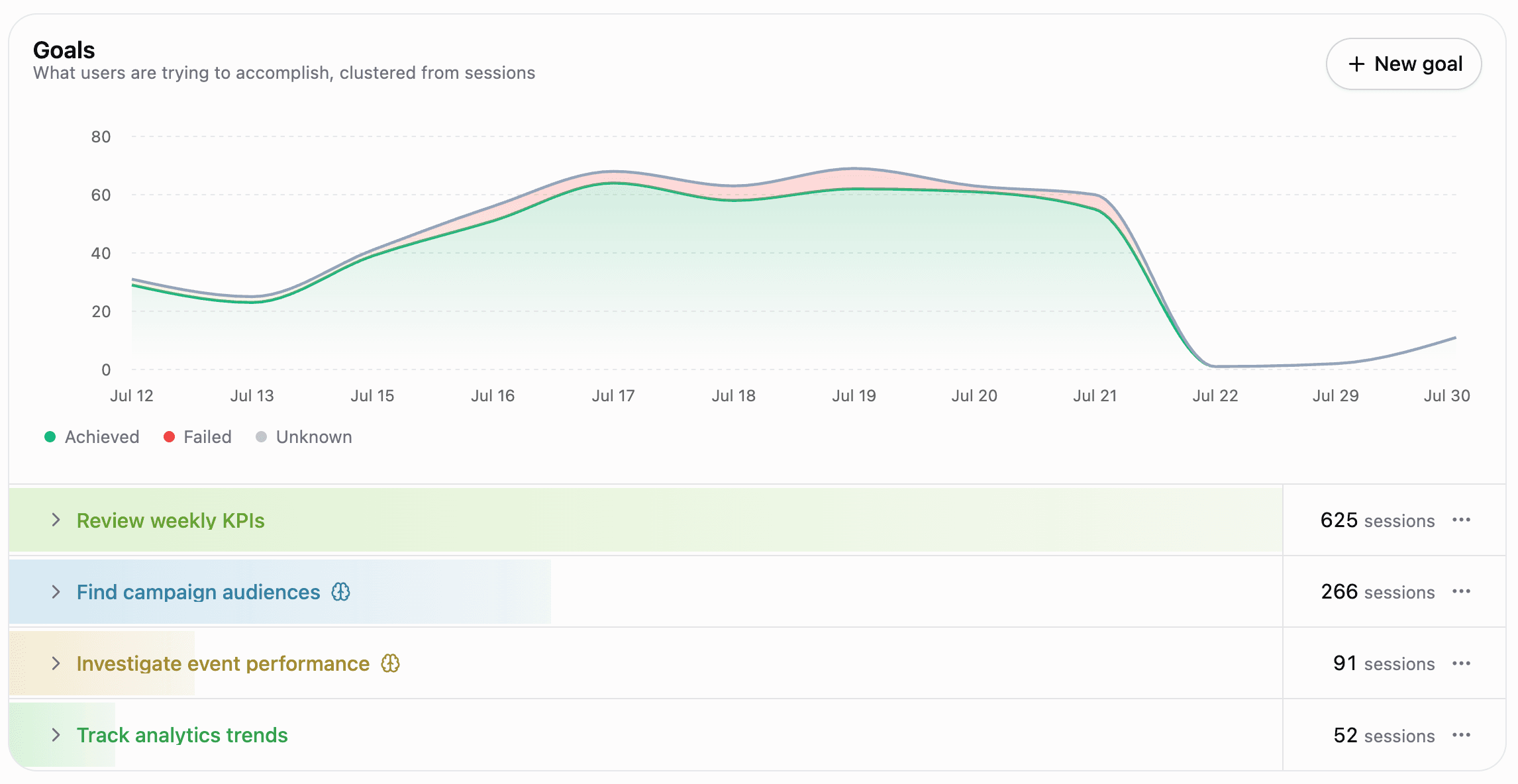
Manufact then analyzes all the sessions and tries to infer the goal each user was trying to achieve, this is crucial since you don't have access to the conversation when your product is used inside ChatGPT or Claude.
Cross-client testing
Web apps get a solved browser matrix. Playwright runs a suite across engines and versions.
For MCP, the browsers are ChatGPT, Claude, and Cursor. Each sits behind a login, parses tools differently, negotiates capabilities differently, and runs its own auth flow. Testing end to end means driving authenticated sessions in the real clients (hoping you are not getting blocked as bot). Good luck running this browser infrastructure yourself only to test your MCP server.
Testing against different clients is important because the behaviour of your MCP Server depends on:
- Different clients: works in ChatGPT, but not in Claude and Cursor.
- Different models: works with Claude Opus, but not with Claude Sonnet.
- Different devices: MCP UI tools are displayed correctly on desktop but not on mobile.
- Different versions: they tweak the system prompt and your MCP server stops working as expected.
Here sit the bugs in your MCP server you can't spot but your users encounter.
A panel listing six assumptions an MCP server might make about its client, with a client picker. Selecting a client shows which assumptions hold there and which fail, with a short note for each.
- holdsPicks up tool-list changes mid-conversationrespects the advertised cache TTL
- failsTolerates loose input schemasstrict validation, rejects extras
- failsWaits out a slow tool calltight timeout budget
- failsCan ask the user for input mid-callfails the call instead
- holdsRegisters itself against your server at connect timevia client metadata
- holdsRenders your app UIrenders MCP app widgets
In ChatGPT, 3 of 6 assumptions hold. The server code is identical in all four columns.
The pieces you build:
- An authenticated session per client, kept alive. Sessions expire and captchas appear on their schedule.
- Eval that checks the tool call and its arguments.
- Assertions over a probabilistic system. The model decides whether to call your tool at all, so a test has to tolerate the run where it didn't.
- Validate that an MCP UI view is displayed correctly.
And it's never done: clients ship UI changes and your automation breaks.
How we solve:
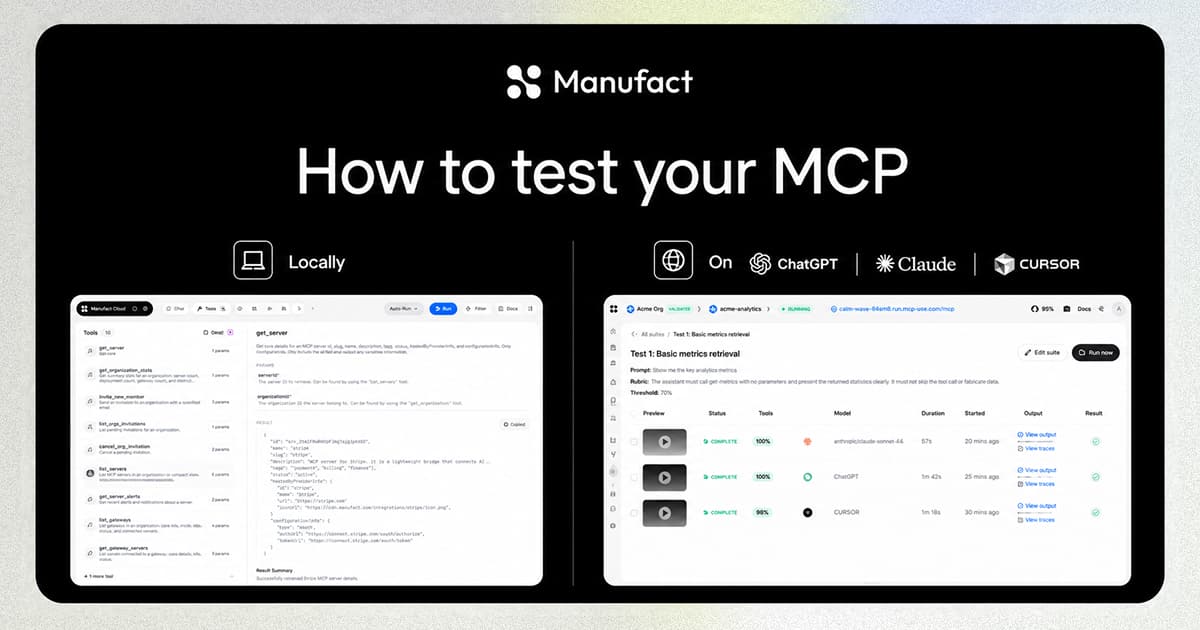
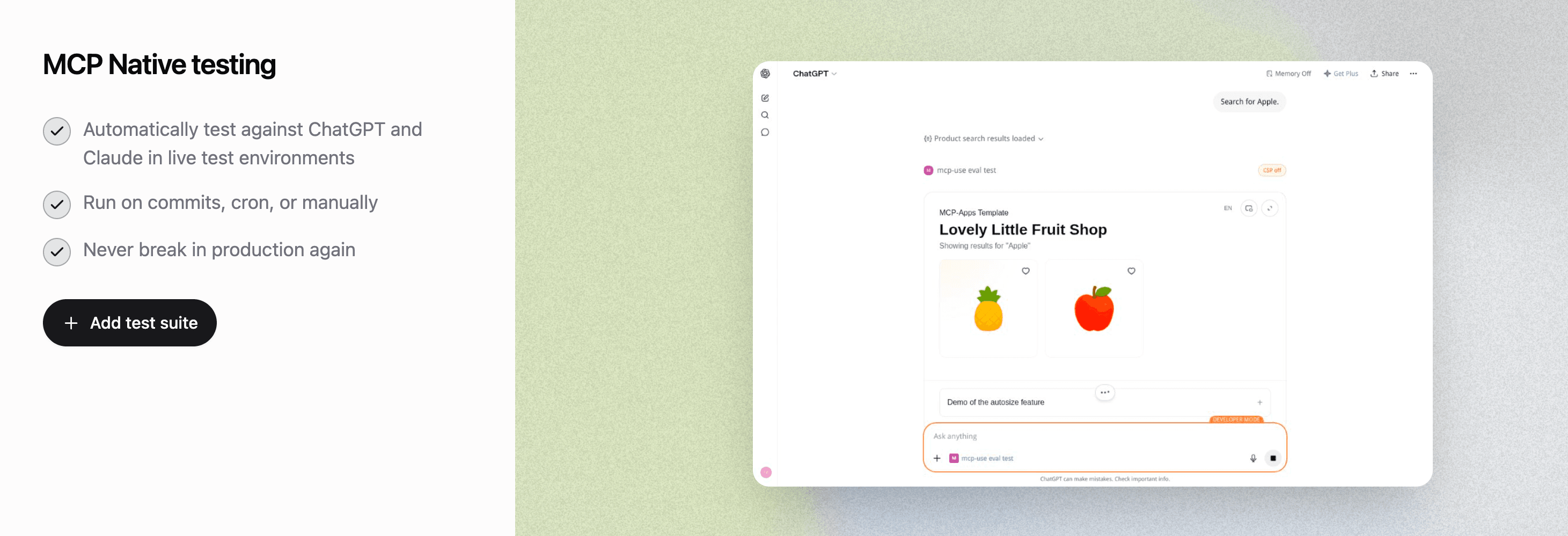
We run this as a hosted suite for the same reason: test suites that run against ChatGPT and Claude in live environments, on commits or manually.
Publishing checks
This is less similar to web development but closer to App Store review. The review is (still) painful but documented and with an industry of tooling around it.
The ChatGPT Apps Store and Claude Cloud Connectors requirements are not so well documented, and they change FAST! Somebody on your team reads changelogs and translates them into checks by hand or in your CI/CD.
The pieces you build:
- Protocol and discovery conformance over the transport production clients actually use.
- Tool schema, naming, description, and uniqueness rules matching what reviewers enforce.
- Read/write separation and prompt-injection hygiene in tool copy.
- Domain ownership, CSP allowlists, and redirect behavior for widget surfaces.
- Listing assets: icons, previews, structured metadata.
What breaks is a rejection and the cost is the wait time, which means delaying your MCP launch or update.
How we solve:
That somebody in your team who keeps everything up to date is Manufact! We make sure checks stay current.
Already built one?
Run the publishing checklist on your MCP server
Paste your MCP URL to run the basic publishing checks. Public and OAuth servers work without a Manufact account.
Developer experience
On the web, you save a file, the page reloads, and devtools are already open.
For MCP, the client is the runtime and you don't control it. There is no devtools panel inside ChatGPT.
The pieces you build:
- Replay of a production session without asking the user for repro steps.
- The full request and response with timing, rather than a truncated log line.
- A permalink a teammate can open and see the same evidence.
The reality is that you would probably end up under-testing the MCP server.
How we solve:
The mcp-use Inspector covers the local development. The Cloud Inspector covers the deployed MCP debugging and you can invite your QA team in the platform.
When to use Manufact
As MCP becomes an important part of your product surface you'll need all the infra to make sure it runs reliably. But you don't want to maintain everything yourself. The cost is attention and focus. Hundreds of teams rely on us for their MCP infrastructure and tooling and they are happy to offload all of that to focus on their product and MCP experience.
When AgentMail faced this, their cofounder sized it:
"Building it ourselves meant standing up hosting, auth, sessions, scaling, and monitoring. That's probably a quarter of eng time for a ten-person team, minimum. None of that makes our core product better."
Adi Singh, cofounder of AgentMail
Compliance sits on top. SOC 2, a pentest, data residency, zero-retention guarantees: each is its own project with its own upkeep, and none of it makes the MCP better.
When to build it anyway
Some teams should run every one of these layers themselves:
- MCP infrastructure is your product. If you sell MCP hosting, these five layers are what your team is building.
- A real data boundary. An on-prem requirement, a policy against external vendors, regulated data that can't leave your VPC. When the constraint is real it outweighs every efficiency argument.
- You have a platform team and a mature deploy pipeline, and you need one layer, not five. Building that one is reasonable.
- You want it on hardware you own.
Most build decisions aren't made for these reasons. The demo worked on day one and you thought you could maintain it yourself.
Build vs buy test
A sequential decision tree. Answer five yes-or-no questions about your team and constraints; each yes resolves to a build-or-buy verdict with a reason, and answering no to all five resolves to buy.
Is hosting MCP servers the product your team sells?
The infrastructure itself is what customers pay you for.
Where to go from here
- How AgentMail handles 100k+ agent tool calls with Manufact: the case study behind the quote above.
- How to Set Up OAuth in Your MCP Servers: the auth work every layer above assumes you've already done.
- Deploying Seven MCP Frameworks: A Field Report: the hosting layer, framework by framework.
- MCP authorization spec: what clients expect your server to implement.
Still weighing build against buy?
We'll walk through your stack and give you a straight answer.